


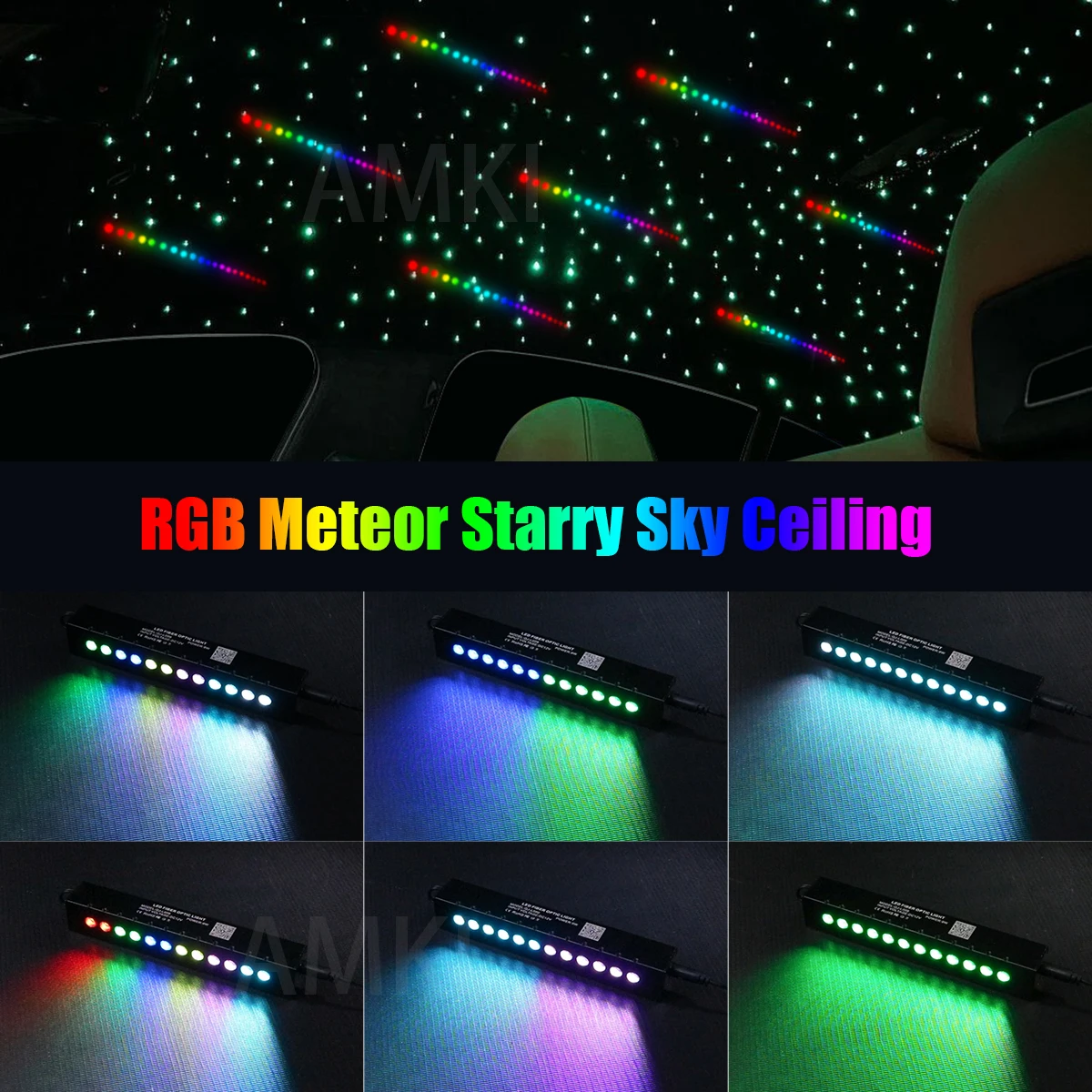
20W Dual Port Twinkle Starlight Meteor Starry Sky Car Roof Star Ceiling APP&Music Sync Car Interior Fiber Optic Ambient Light
20W Dual Port Twinkle Starlight Meteor Starry Sky Car Roof Star Ceiling APP&Music Sync Car Interior Fiber Optic Ambient Light
SPECIFICATIONS
Application: car star sky roof ; Starry sky ceiling
Brand Name: AMKI
Certification: CE
Choice: yes
Color: RGB
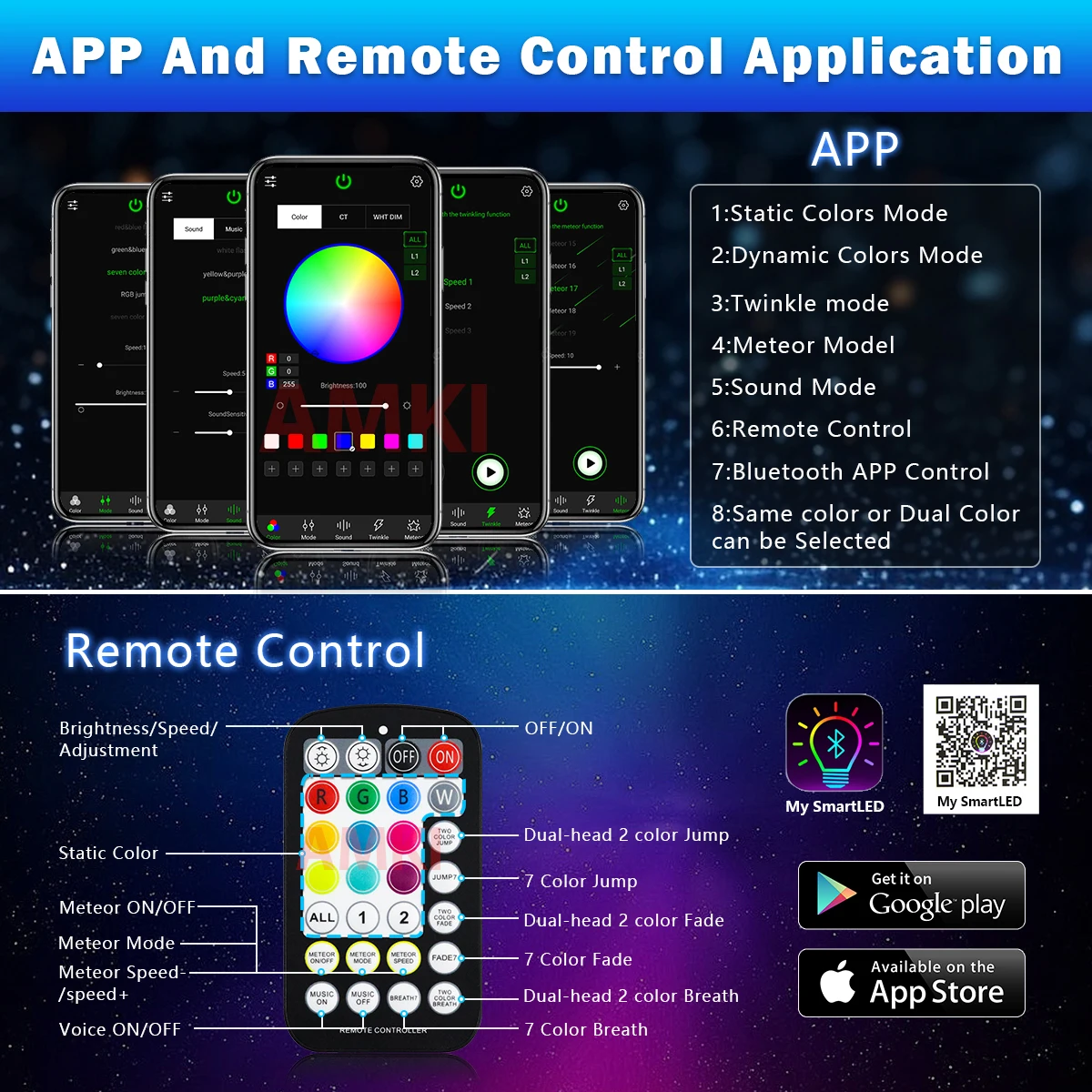
Feature: Twinkle Effect ,Meteor effect ,Bluetooth Control, Music Control, Starry Sky Effect ,
High-concerned chemical: None
Item Type: Atmosphere lamp
Material: Metal+ Plastic
Meteor: 9Watt
Model Name: QJ-L020T
Origin: Mainland China
Power: 20Watt
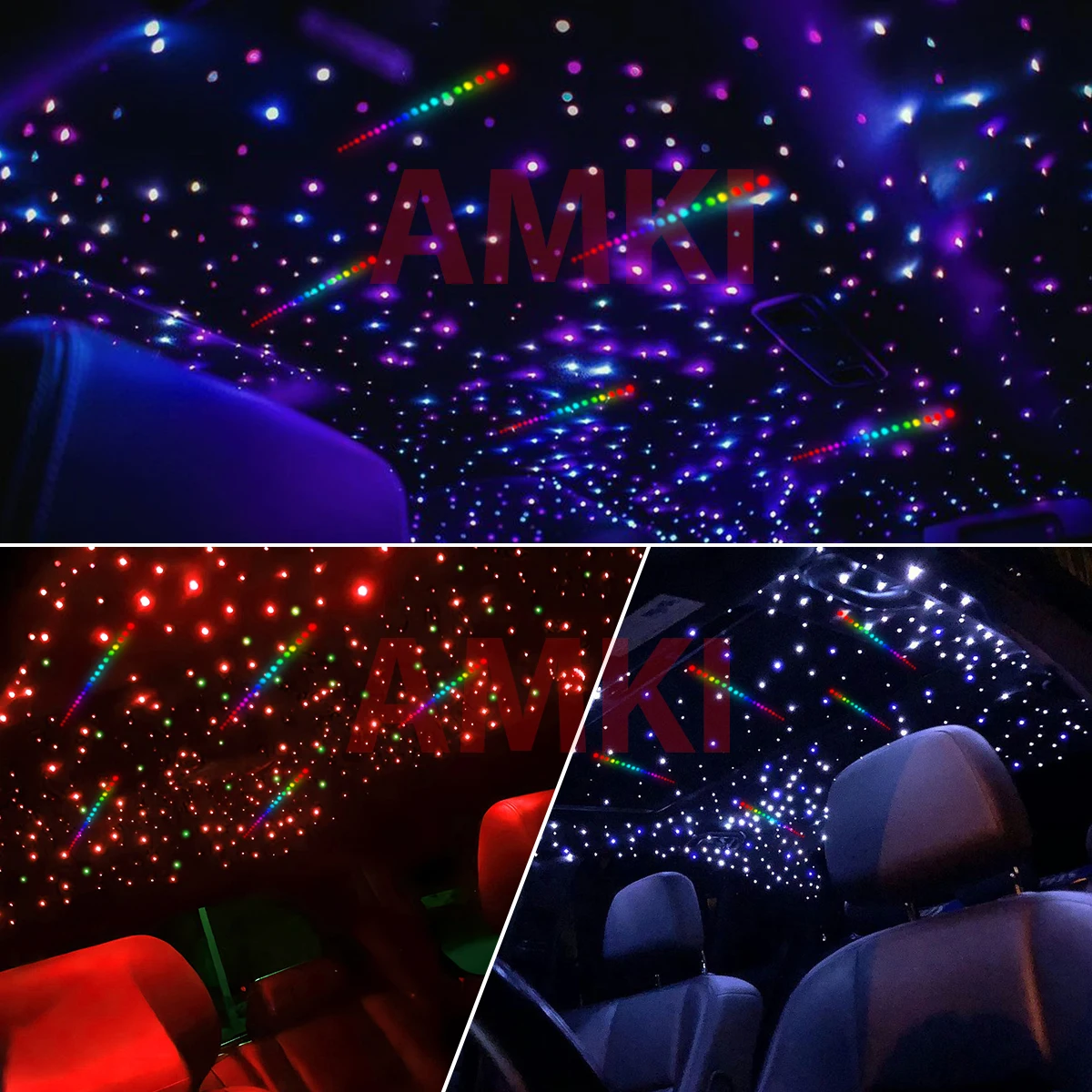
Use effect: car ceiling;indoor ceiling;home cinema ;kids room
Voltage: 12 V
no included: end glow fiber optic cable
semi_Choice: yes
Dual Port 20W Twinkle Meteor Starry Sky Car Roof Star Ceiling APP&Music Shooting star Car Interior Fiber Optic Car Ambient Light
20W RGBW TWINKLE FIBER OPTIC LIGHT
Techincal Specification:
Twinkle fiber optic light
lnpute voltage: AC86-265V/DC12V
POWER:20W
COLOR: RGBW
Feature:Twinkle /app/RF control
LED: RGBW*2 LEDs
Net Weight: 320g
Gross Weight: 610g
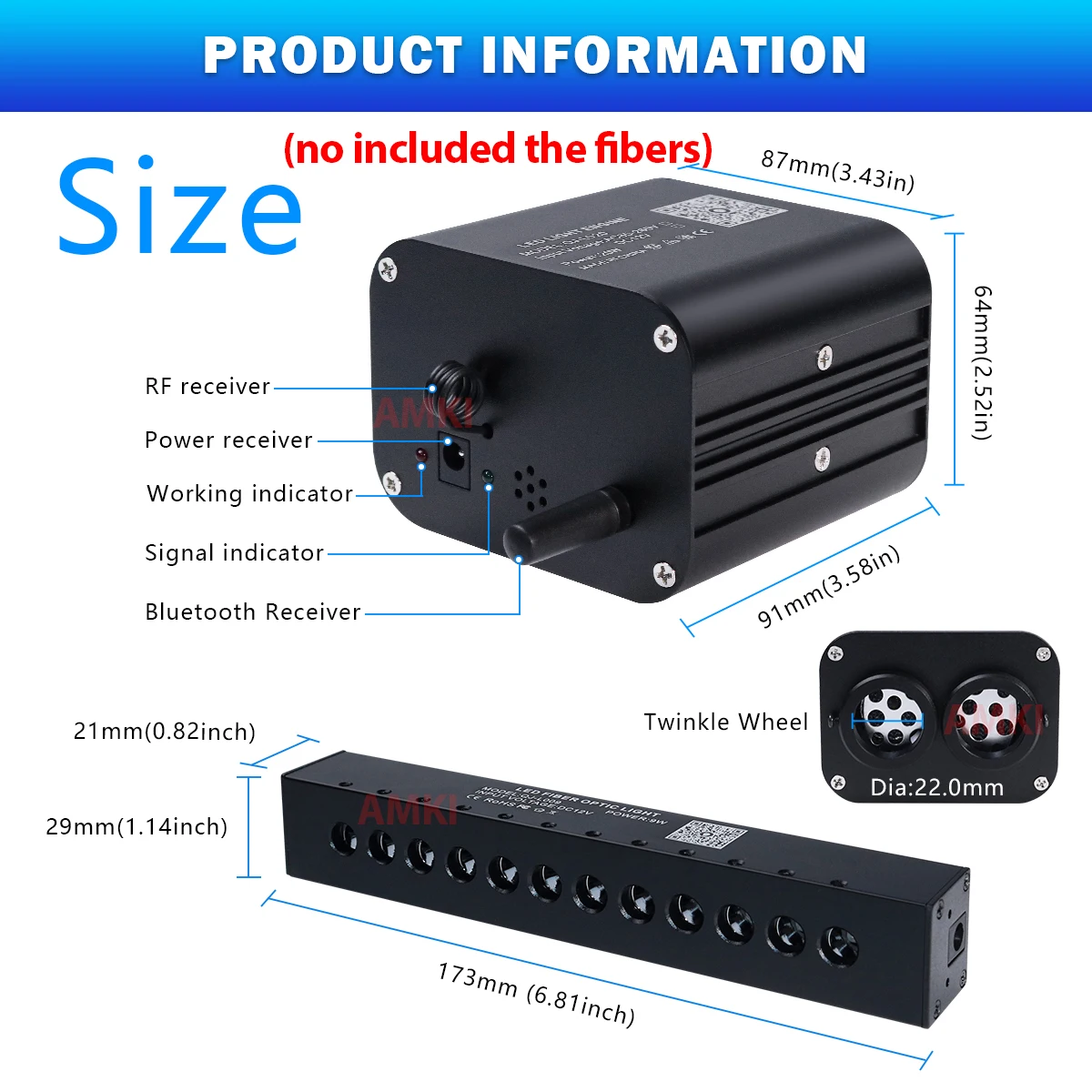
Light source device size:L:91mm(3.58in) *W:87mm(3.43in) *H:64mm(2.52in)
Fiber head inner diameter:22mm*2
Light body material: Aluminum
Light change mode:static color (Mixedwhite,Pure white,Red,Green,Blue,Yellow,Ice blue,Pink),jump,fade,four-speed twinkle ,Brightness control,mode speed,Sound sensitivity adjustment.,
Remote: RF/Bluetooth
Remoter dimension: L105xW58xH9mm
Lifetime: 50,000 hours
Warranty: 2 years
Meteor Fiber Optic Light Parameter:
POWER: 9W
Input voltage: DC12V
LED: 12 LEDS
COLOR: RGBW ( Red , Green ,Blue , White,Yellow ,Purple,Cyan)
Light source device size:L173xW26xH28mm
Fiber head inner diameter: 7.0mm
Remote: RF/Bluetooth
Warranty: 2 years
Lifetime:50,000 hours
Product included
1x 20W twinkle app RGBW 2 Port light engine(no included the end glow fiber )
1xmeteor led
1x RF remote controller
1 x Power adapter
1 x User Manual
Dual-head independent control application description:
(two heads cannot be selected separately for dynamic mode)
1.Control both heads at the same time.The first step,press the ALL button
The second step, select the mode(static mode or dynamic mode)
2.Independent control of each head static color.
The first step,press button 1
The second step,choose static color.
The third step,press button 2
The fourth step, choose static color
3.One head static color,one head dynamic change(must select static colorfirst and then dynamic color)
The first step, press button1.
The second step,choose static color.
The third step, press button 2.
The fourth step,choosedynamic color
How to connect APP :
1. Please download the“My smart LED”APP
2. Connect to the light
(1) open the mobile phone bluetooth;
(2) power on the light; then open the APP;
(3) at this time, the app will automatically connect to light
**Note: You cannot click the name of the light in the Bluetooth list of your phone, but wait for the light to link to your phone automatically.
(4) When thenumber appear in left top corner, the APP successfully connects to the machine.
(5) Click on switch in the middle of app ,to turn on the fiber optic light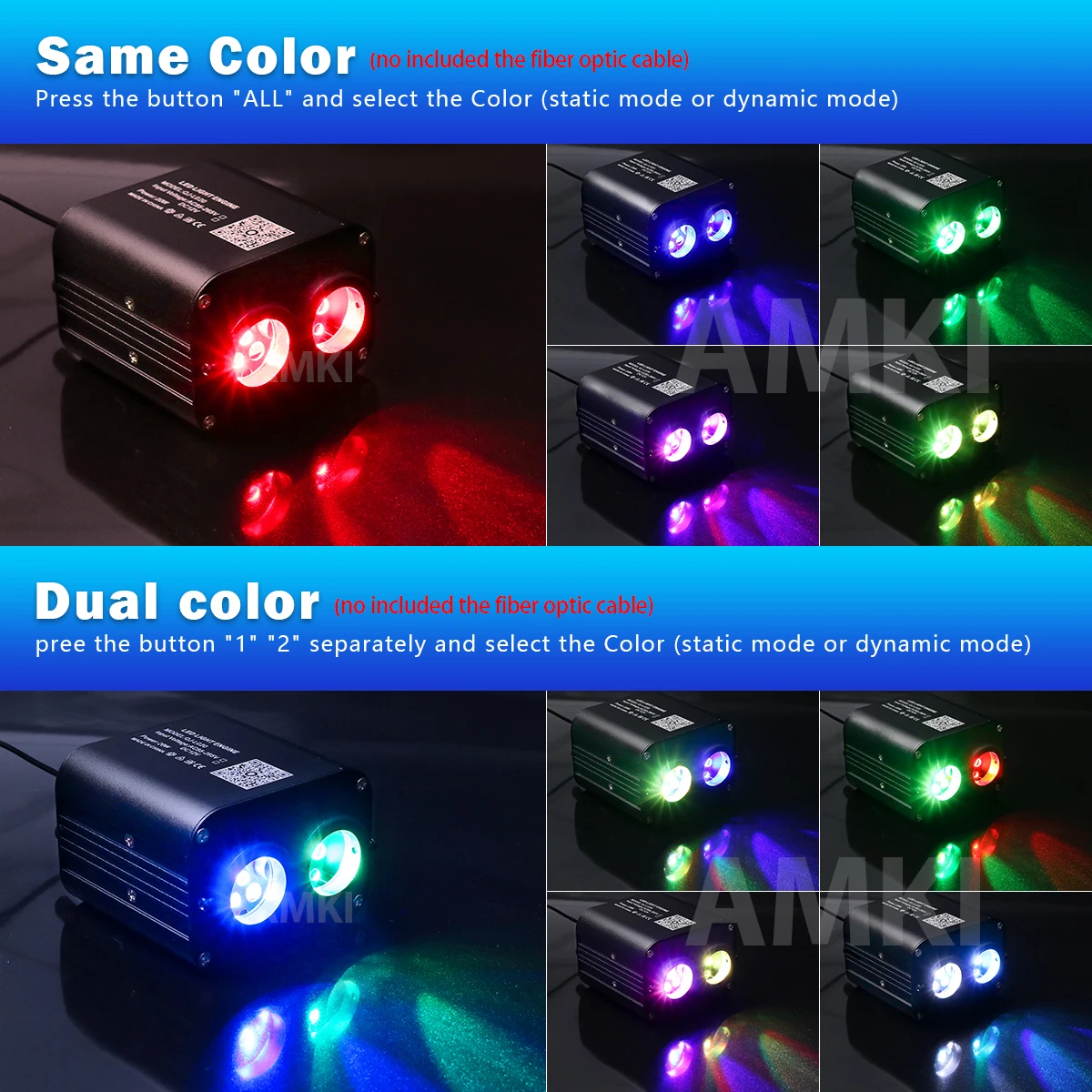


Couldn't load pickup availability
29 in stock
View full details


