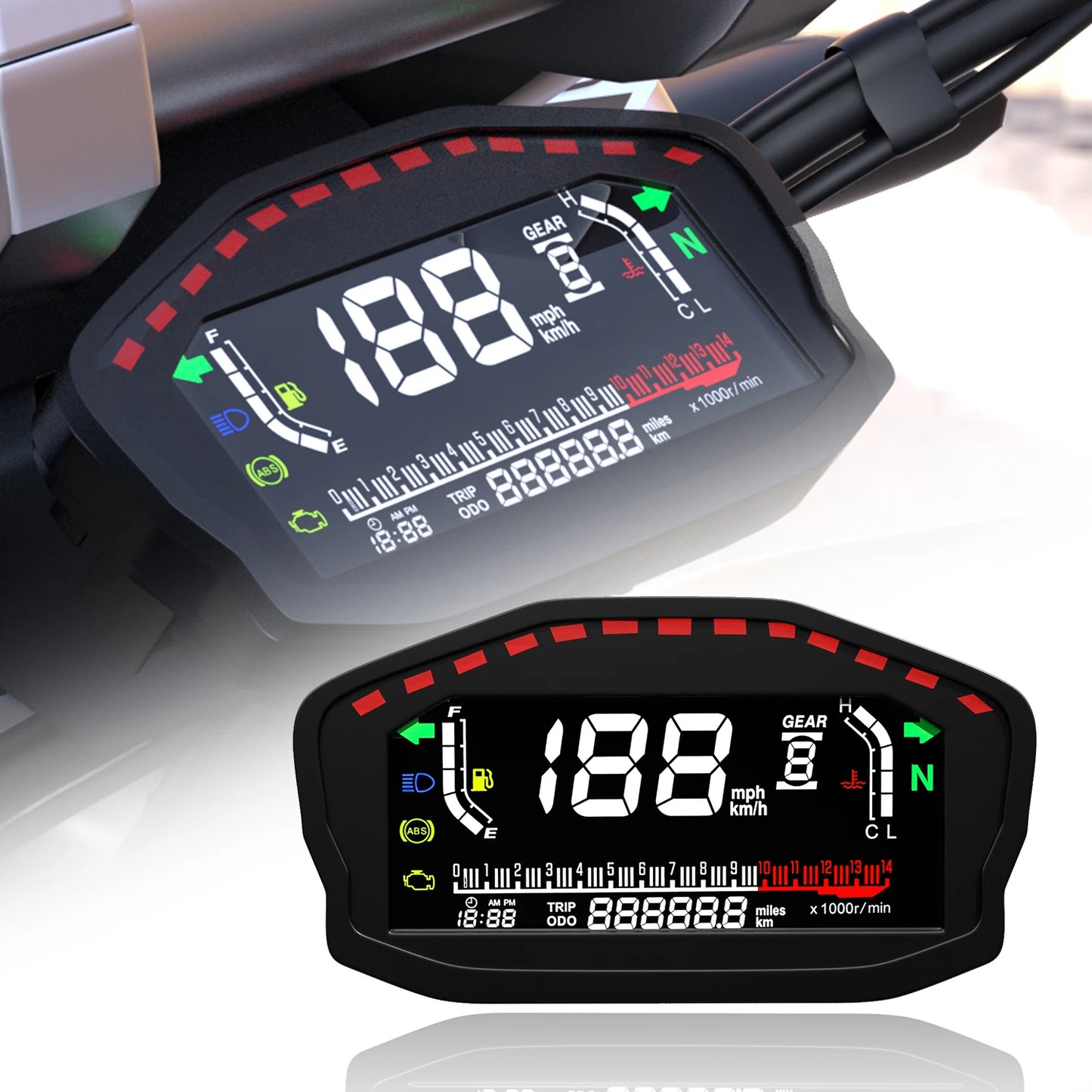
AD Universal RPM Motorcycle Meter GPS Speedometer Digital Odometer Electric Injection Carburetor Instrument Multi-function Trip
AD Universal RPM Motorcycle Meter GPS Speedometer Digital Odometer Electric Injection Carburetor Instrument Multi-function Trip
SPECIFICATIONS
Brand Name: ZMFJH
Country/Region of Manufacture: China
Fit for: 12V motorcycle or other vehicles
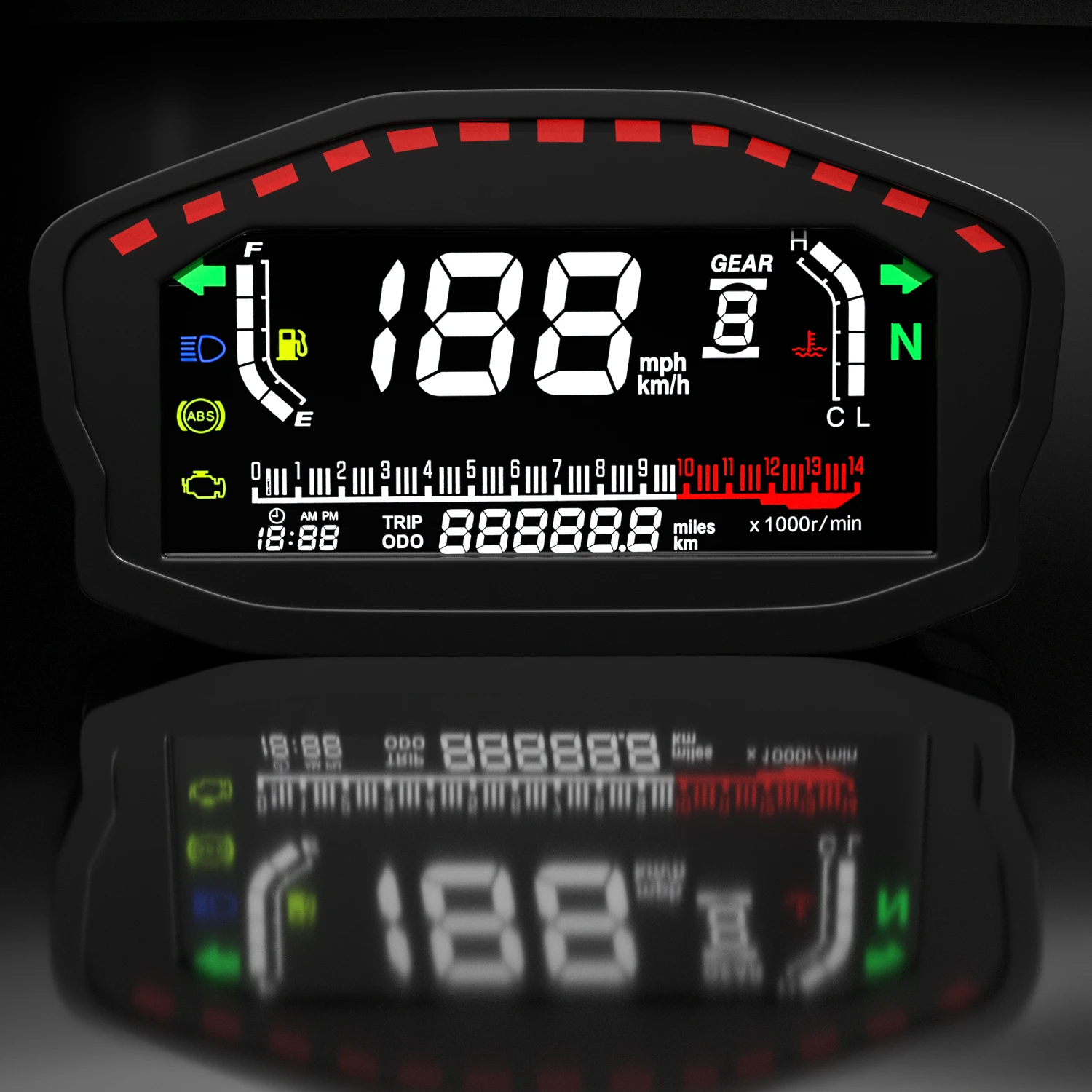
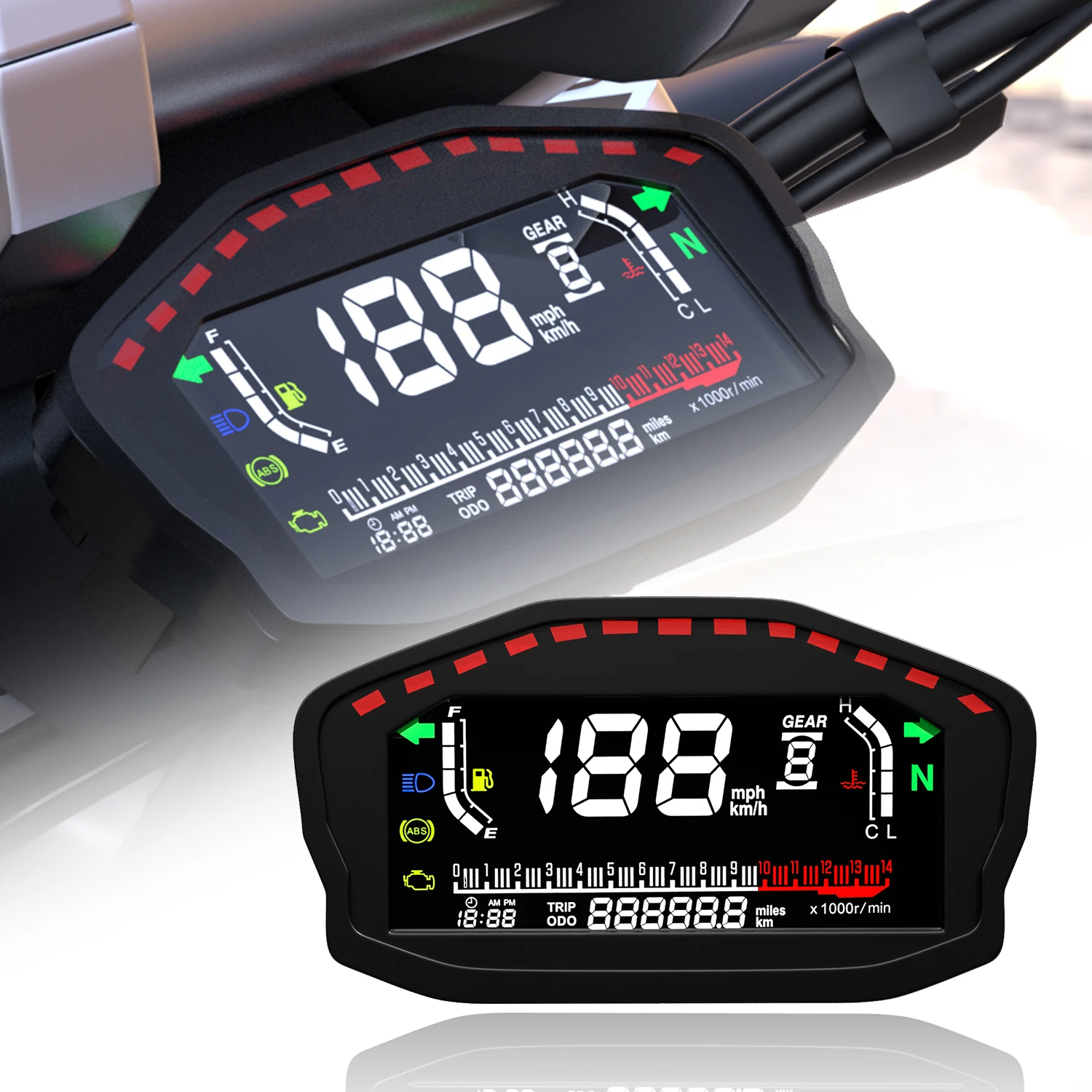
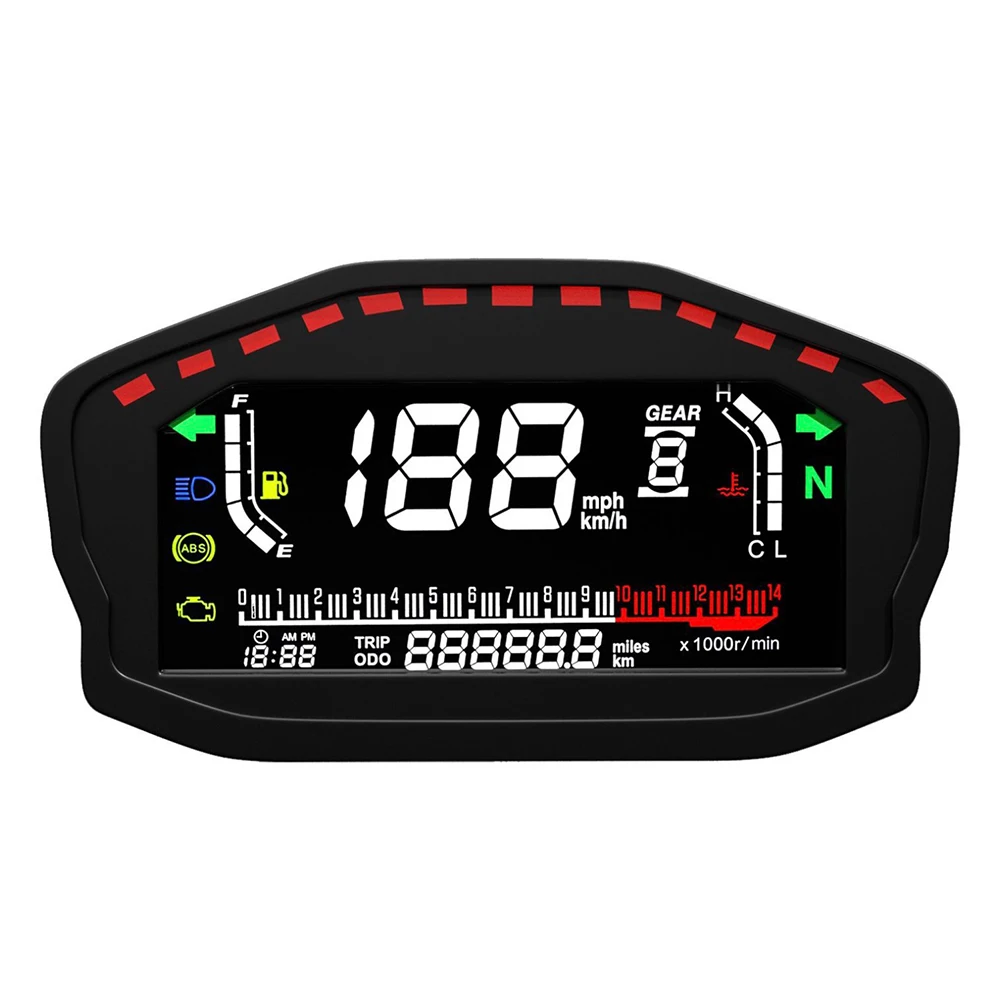
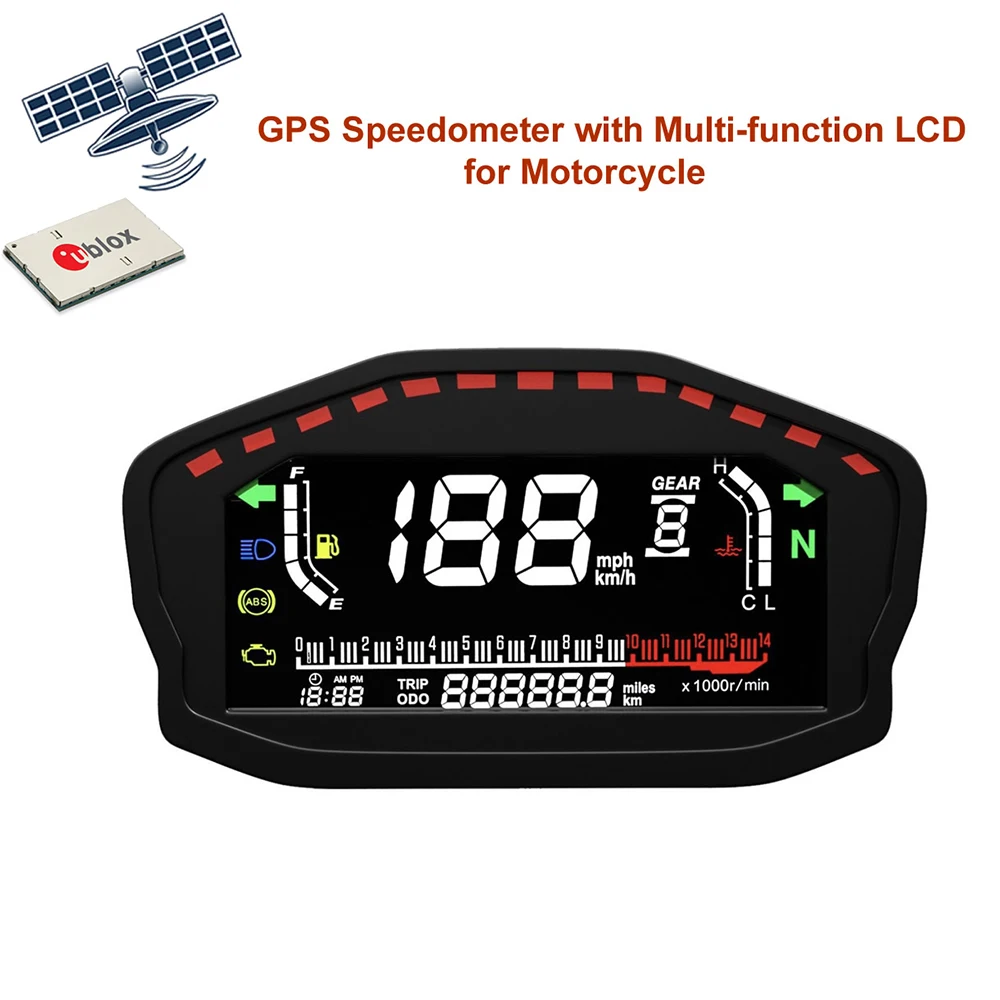
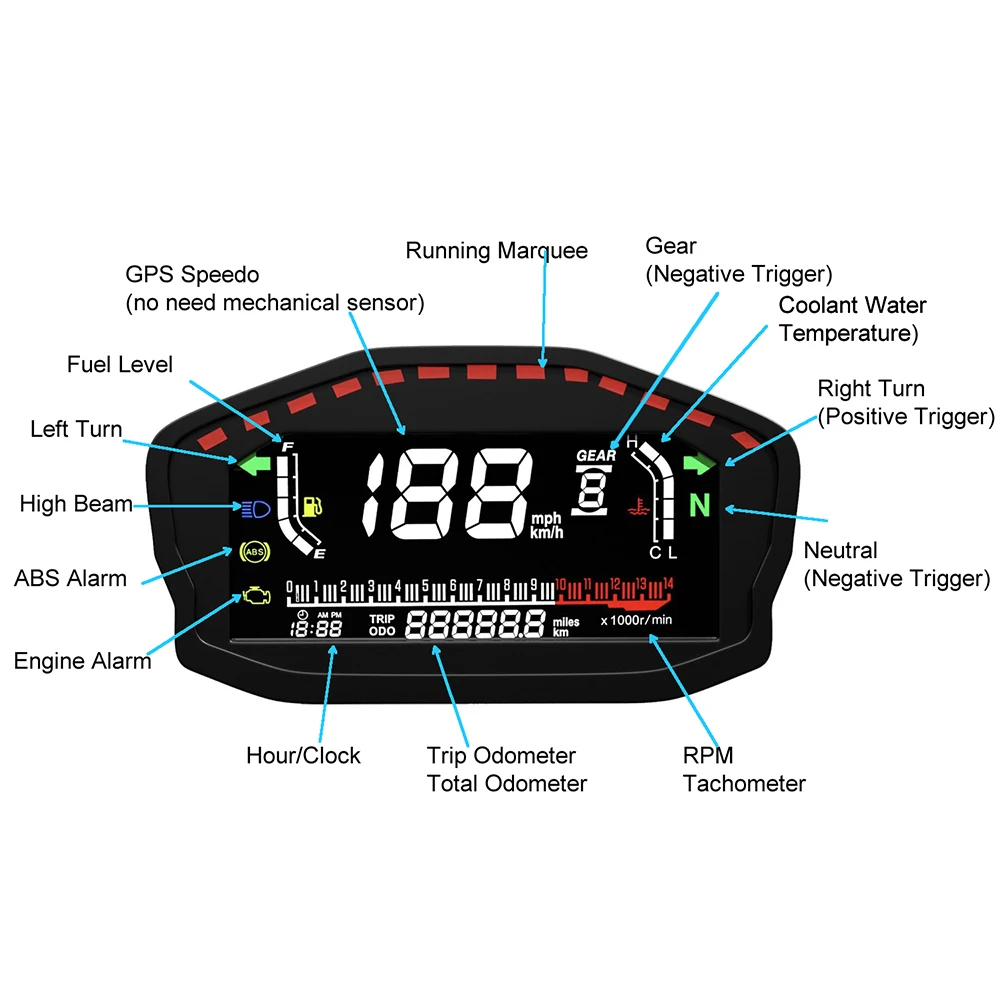
Function1: Right, left light, high beam
Function2: fuel level, water temp, time, gear,
High-concerned chemical: None
Indication light: ABS alarm
Interchange Part Number: TRG165
Item Height: 42mm
Item Length: 165mm
Item Weight: 0.5kg
Item Width: 93mm
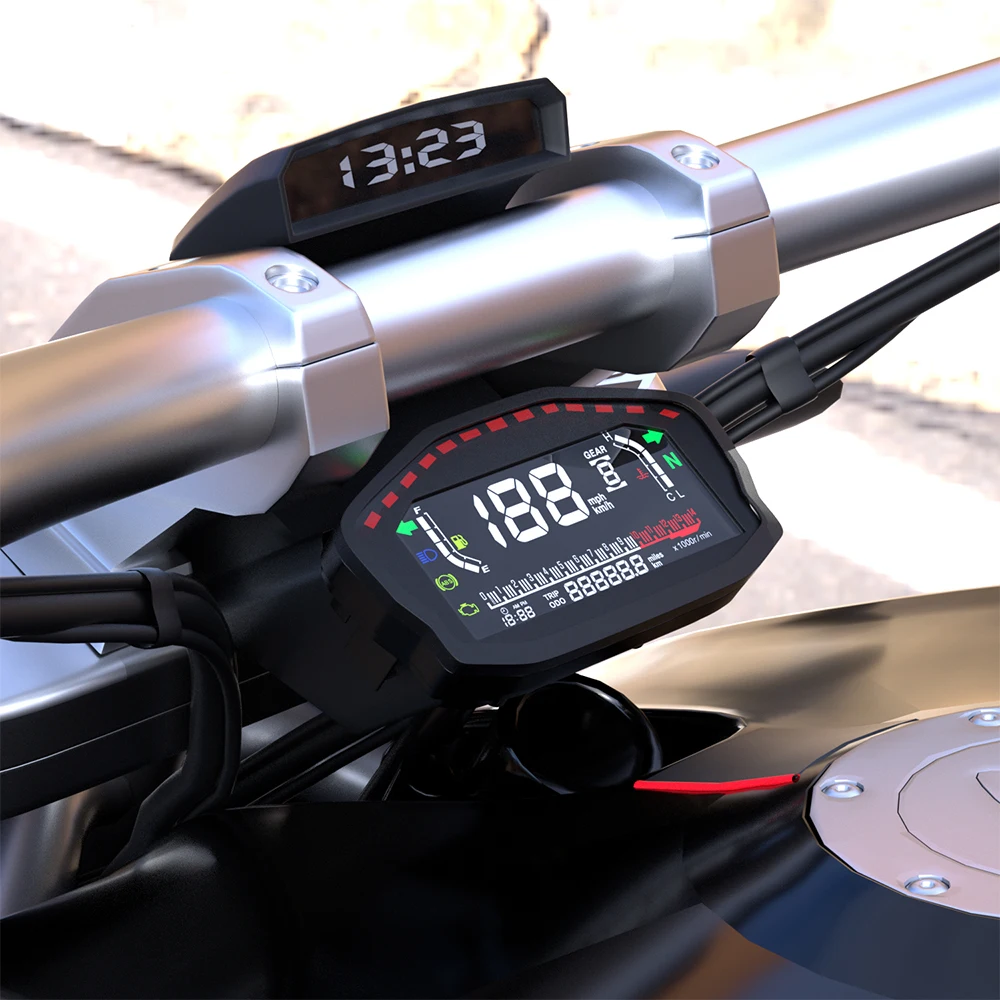
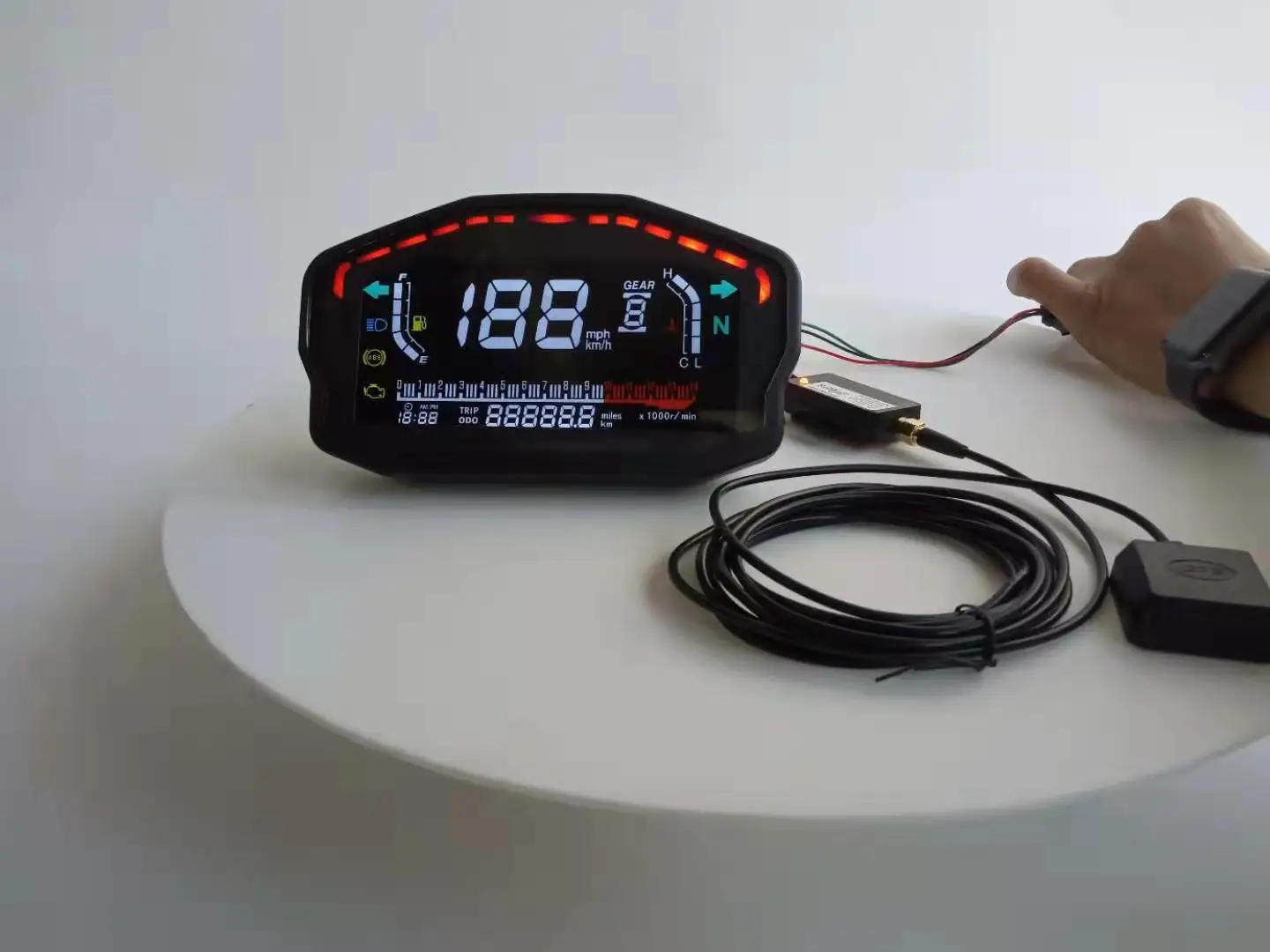
Item name: LCD motorcycle rpm speed meter with GPS Antenna
Manufacturer Part Number: GPS Speedometer with Multi-function LCD
Material: Plastic
Motorcycle gauge: Speed, rpm, TRIP, ODO
Origin: Mainland China
Other Part Number: LCD GPS speedometer
Placement on Vehicle: Front
RPM Tachometer Range: 0~14000RPM
Signal: GPS receiver
Size: 165*93*42mm
Special Features: GPS Speedometer with Multi-function LCD for Motorcycle
Speed Range: 0~199km/h or MPH, unit switchable

Specification:
-100% Brand New and High Quality
-Size: 165(Length)*93(Width)*42(Deepth)mm
-Working temperatures: - 40 to 85°C
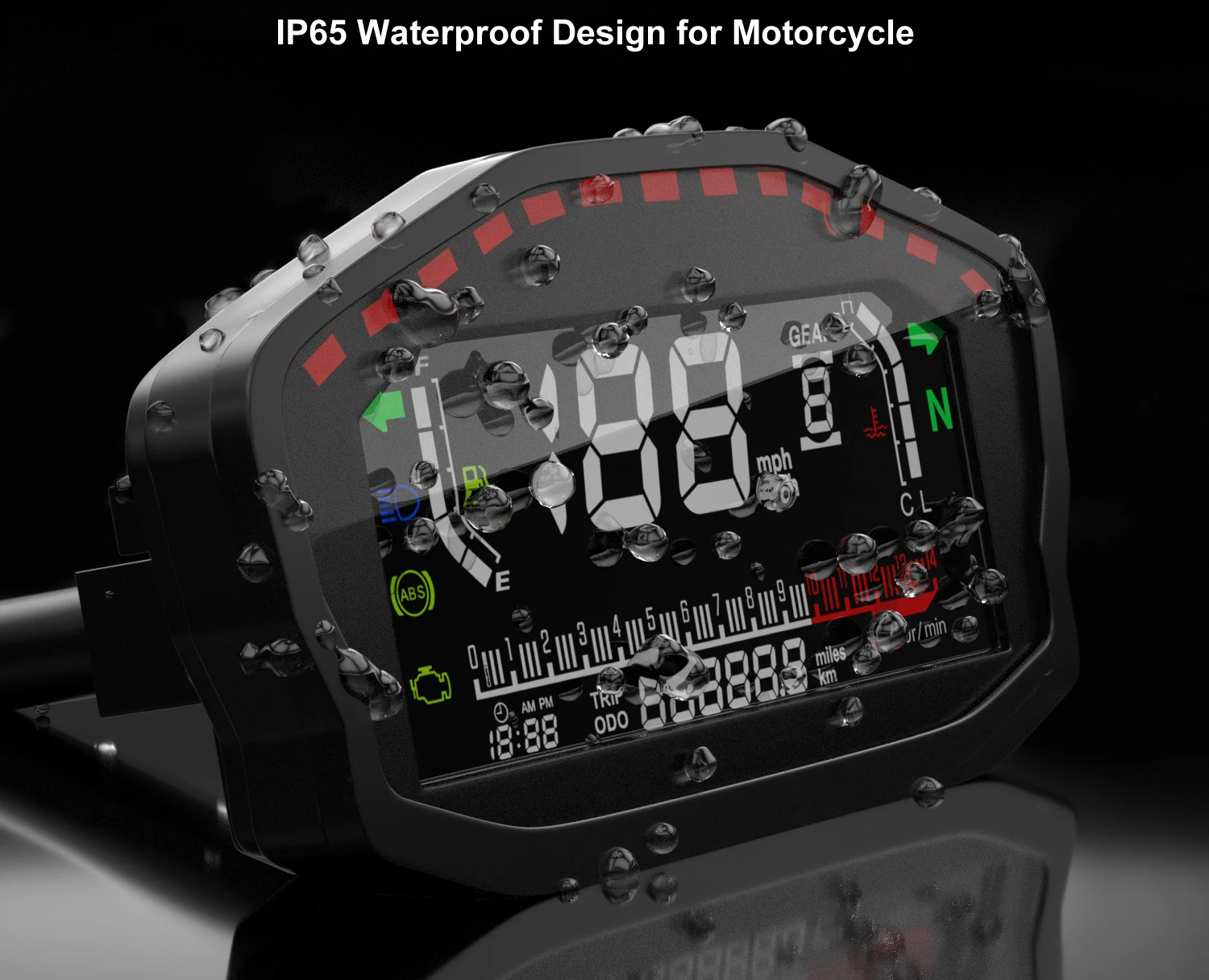
-IP65 Waterproof
-RPM Tachometer Range: 0~140000RPM
-Speed Range: 0~200km/h or MPH, unit switchable
Package include :
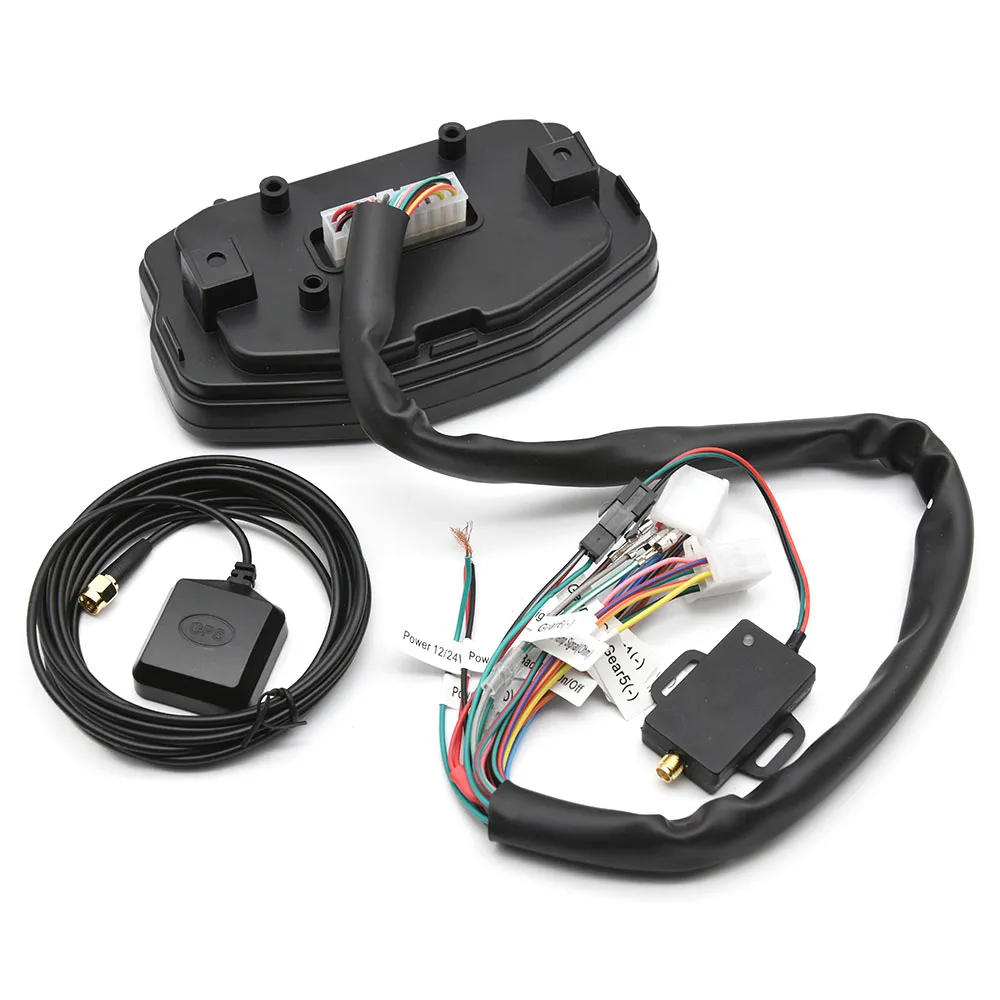
1* LCD GPS speedometer
1* GPS Antenna &Receiver
1* User Guide
Feature:
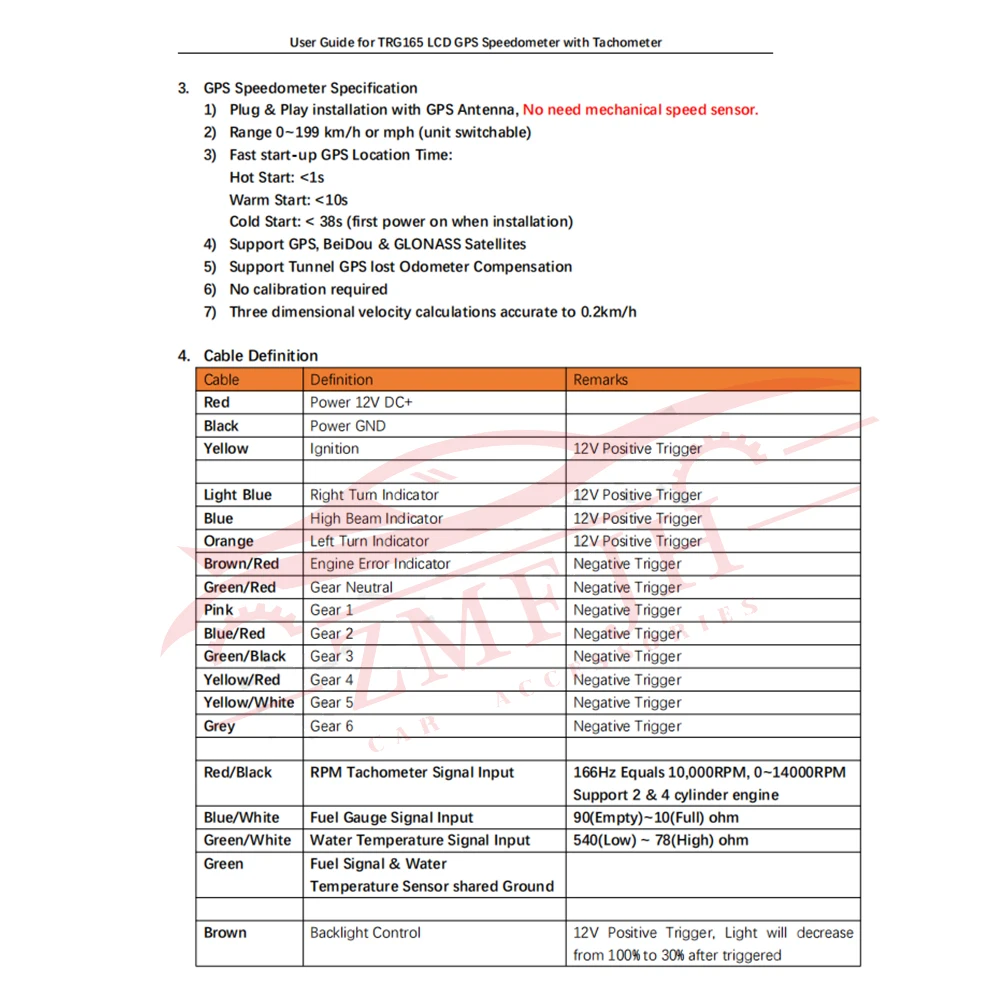
Plug & Play installation with GPS Antenna, No need mechanical speed sensor.
Range 0~199 km/h or mph (unit switchable)
Fast start-up GPS Location Time:
Hot Start: <1s
Warm Start: <10s
Cold Start: < 38s (first power on when installation)
Support GPS, BeiDou & GLONASS Satellites
Support Tunnel GPS lost Odometer Compensation
No calibration required
Three dimensional velocity calculations accurate to 0.2km/h
Setting:
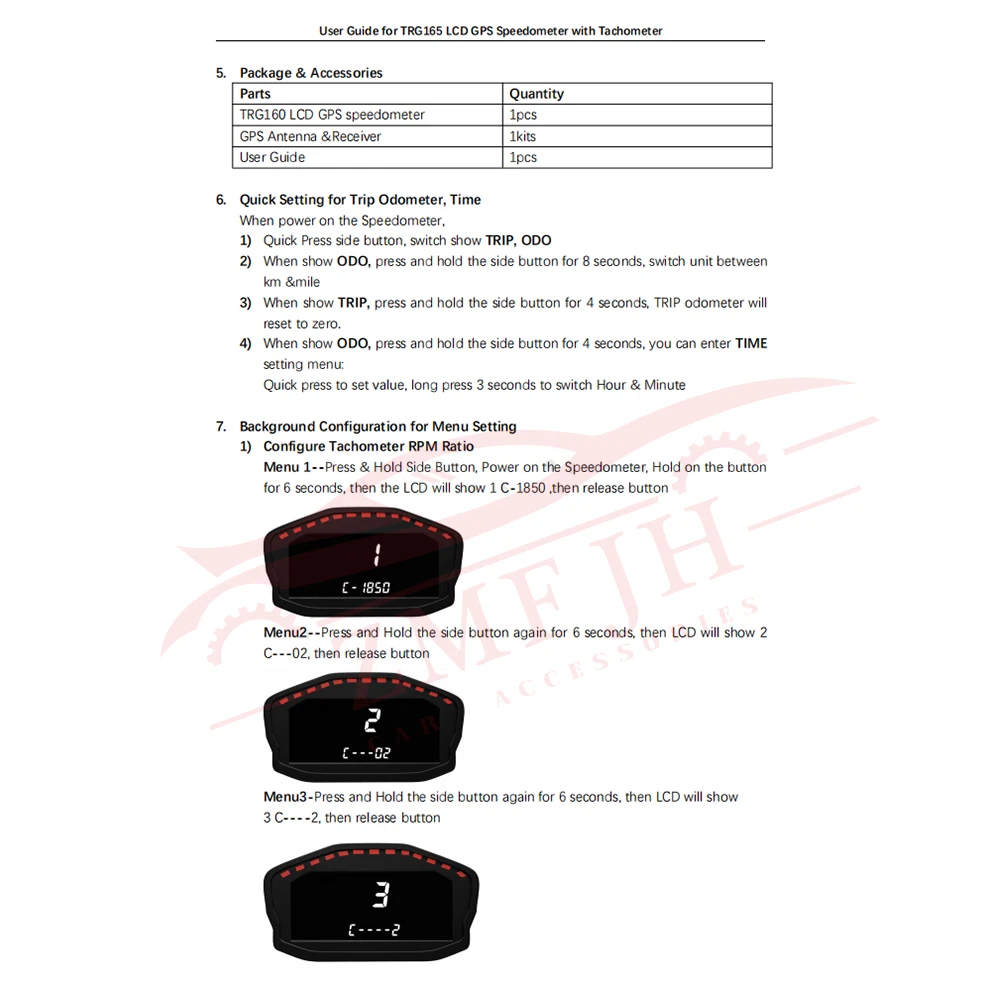
1. Quick Setting for Trip Odometer, Time
When power on the Speedometer,
1) Quick Press side button, switch show TRIP, ODO
2) When show ODO, press and hold the side button for 8 seconds, switch unit between
km &mile
3) When show TRIP, press and hold the side button for 4 seconds, TRIP odometer will
reset to zero.
4) When show ODO, press and hold the side button for 4 seconds, you can enter TIME
setting menu:
Quick press to set value, long press 3 seconds to switch Hour & Minute
2. Configure Tachometer RPM Ratio
Menu 1--Press & Hold Side Button, Power on the Speedometer, Hold on the button
for 6 seconds, then the LCD will show 1 C-1850 ,then release button
Menu 2--Press and Hold the side button again for 6 seconds, then LCD will show "2 C---02", then release button
Menu 3--Press and Hold the side button again for 6 seconds, then LCD will show "3 C----2", then release button
"C----2" means 2 cylinder, quick press side button to switch show "C----4", which
means 4 cylinder for RPM tachometer.
Then Press and Hold button for 3 seconds to save settings
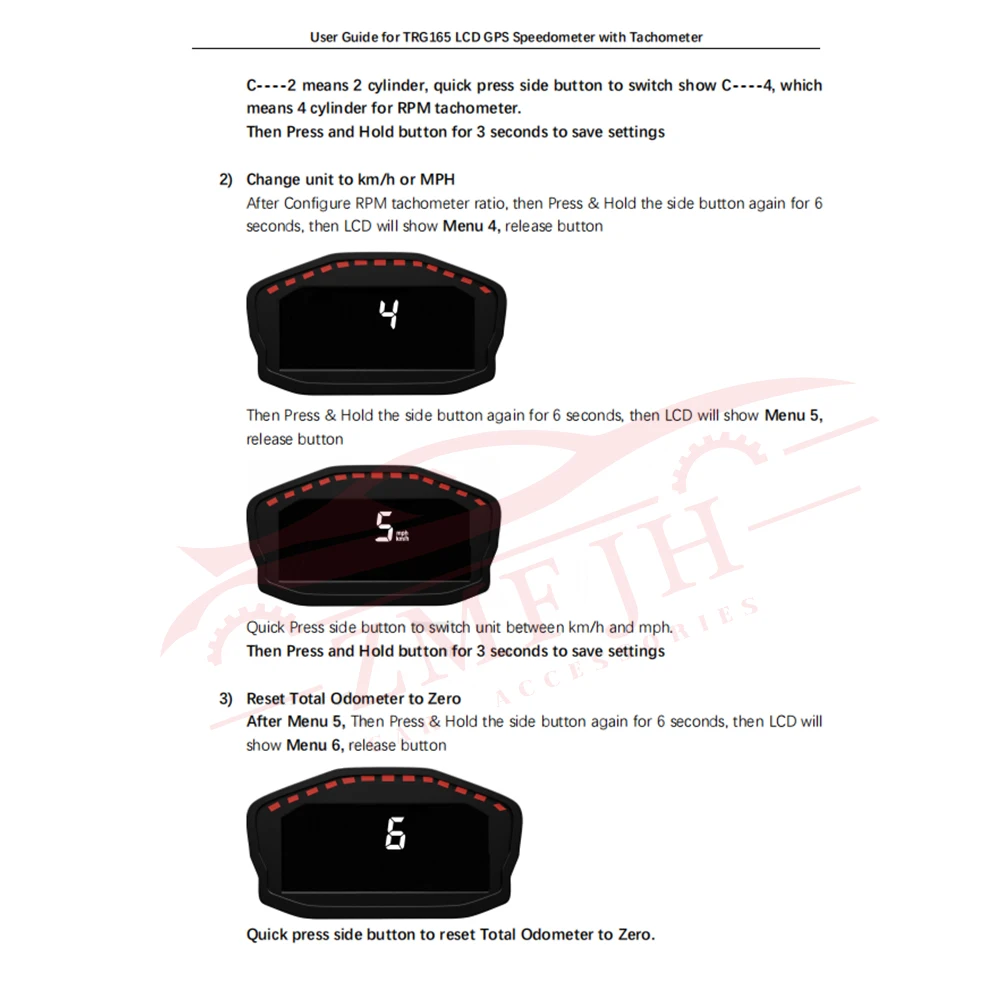
3. Change unit to km/h or MPH
After Configure RPM tachometer ratio, then Press & Hold the side button again for 6
seconds, then LCD will show Menu 4, release button.
Then Press & Hold the side button again for 6 seconds, then LCD will show Menu 5,
release button
Quick Press side button to switch unit between km/h and mph.
Then Press and Hold button for 3 seconds to save settings


Couldn't load pickup availability
949 in stock
View full details