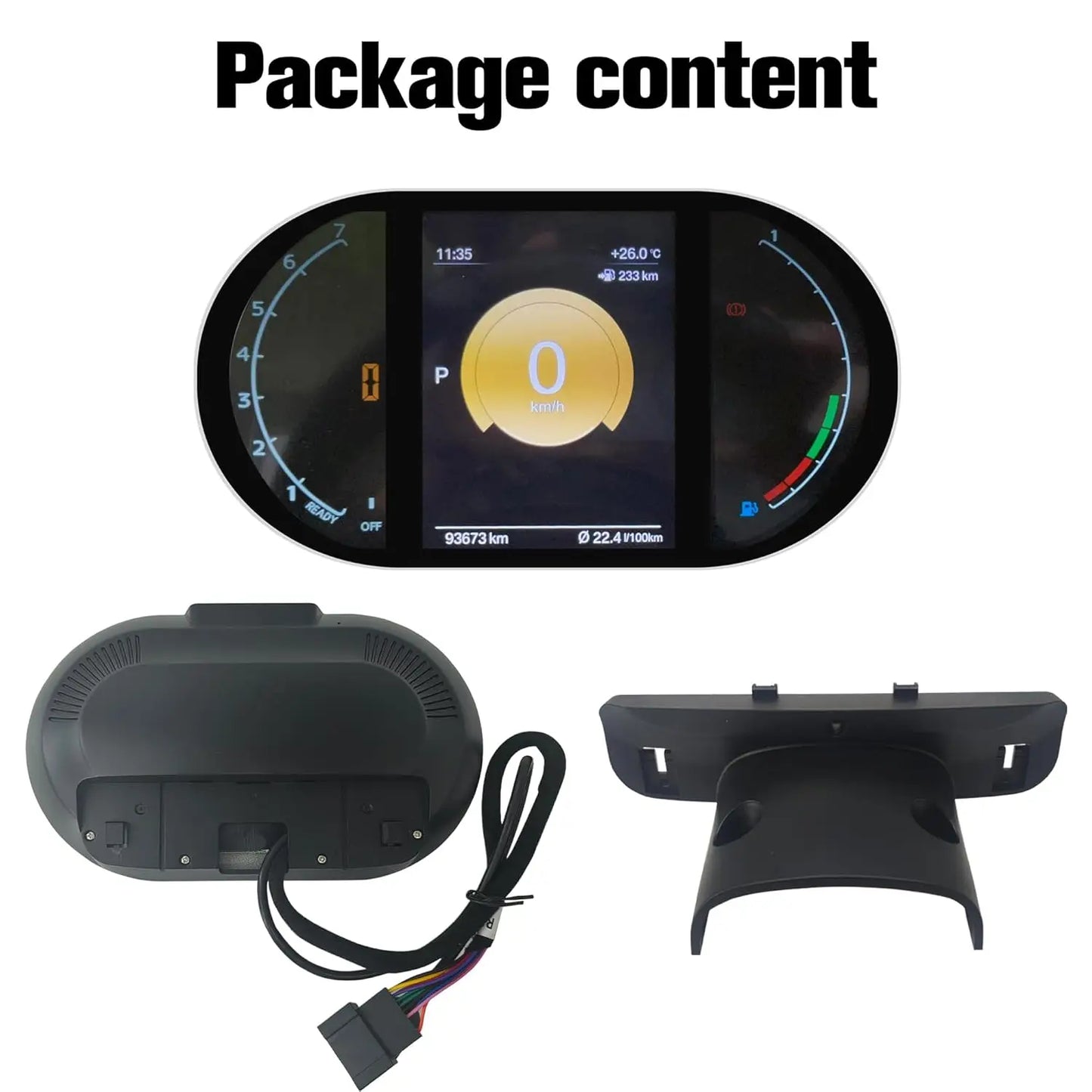
Auto Cluster For BMW MINI Cooper R55 R56 R58 R60 2007-2014 speedometers Dashboard R Series screen instrument panel digital
Auto Cluster For BMW MINI Cooper R55 R56 R58 R60 2007-2014 speedometers Dashboard R Series screen instrument panel digital
SPECIFICATIONS
Brand Name: NONE
High-concerned chemical: None
Item Height: 20
Item Length: 30
Item Weight: 1.2KG
Item Width: 20
Origin: Mainland China

5 inch Digital Dashboard For BMW Mini R Series R55(2007-2014)、 R56 (2006-2013)、R57(2009-2015)、 R58(2011-2015)、 R59(2012-2015)、 R60(2010-2016)、 R61 (2012-2016).
Digital Speedometer Gauge Cluster for BMW Mini Series R55 R56 R57 R58 R59 2006-2016, 5" Automotive Dashboard Instrument Dash Odometer Head up Display Screen for R60 R61
[Applicable Models] The LCD digital instrument cluster is precisely customized for BMW Mini R Series R55(2007-2014), R56 (2006-2013), R57(2009-2015), R58(2011-2015), R59(2012-2015), R60(2010-2016), R61 (2012-2016)
[System & Functions] The system offers a stable and fast start-up. It boots up in a swift 2 seconds. Its scalability outperforms all other types of operating systems. It provides support for original vehicle control. The smart meter is capable of supporting original data such as miles/KM, tyre pressure, oil/water temperature, oil pressure, fuel consumption, car body balance, 4WD display, and more
Full LCD Screen: Lamination LCD screen and Anti-Fingerprint coating. Enjoy a clear view with the 5-inch full lamination LCD, resistant to scratches and fingerprints.
Usage: The screen brightness of head up display for BMW Mini 2006-2016 supports manual adjustment using factory knob and system general setup
Service: Car gauge with digital dashboard windshield kit for Mini that will make car owners happy. We can solve 99% car head up dashboard problems by our engineer, please email us if you have any issue for BMW Mini 2006-2016
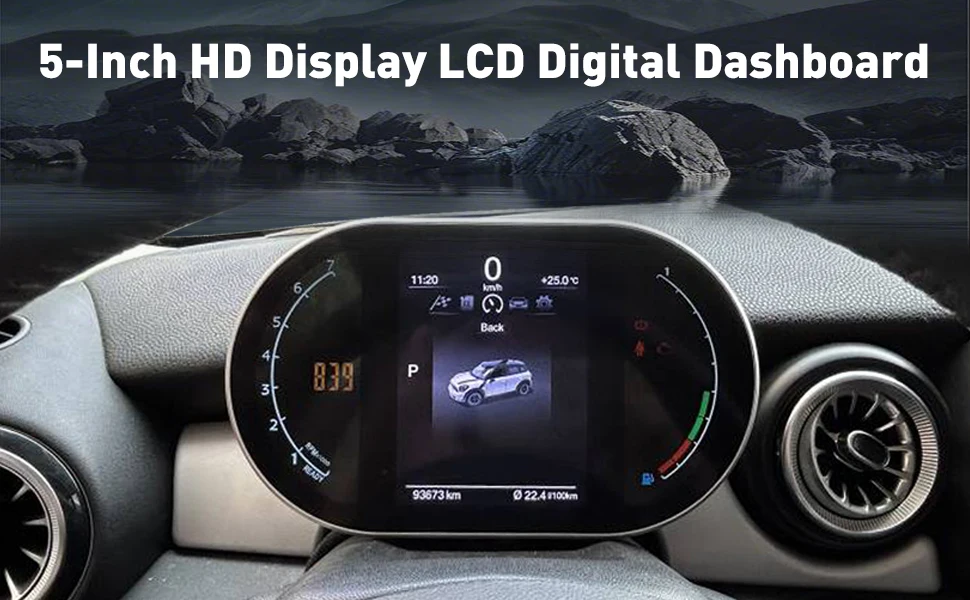
The 5 inch LCD digital Linux operating system instrument cluster with wiring harness , fits for BMW Mini R Series R55(2007-2014), R56 (2006-2013), R57(2009-2015), R58(2011-2015), R59(2012-2015), R60(2010-2016), R61 (2012-2016)
This automotive replacement instrument panel gauges system is not only an upgrade but a complete reimagining of what your dashboard can be, built with precision and designed to last. Future-proof your car with free firmware updates and dedicated support, ensuring that your digital dashboard for car evolves alongside automotive advancements.
Vehicle start in 2.0 seconds, ignition start instrument follow-through start time < 2.5 seconds
5-inch LCD full lamination display + anti-fingerprint coating, full digital display, scratch-resistant and wear-resistant. Daytime Driving: The screen automatically brightens to the highest brightness under strong light, and the road condition data is clear at a glance. Night Driving: Intelligent switching dark mode, reduce blue light emission, long time driving without glare.
Supporting real-time vehicle information display, this feature ensures that you are reliably informed of your vehicle's status throughout the day. Whether you're monitoring engine performance or checking fuel levels, this digital dashboard is always updated. Ensure your journey is safer.
Support 14 kinds of languages. Such as English, German, French, Italian, Spanish, Portuguese, Japanese, Korean, Chinese etc.
This instrument cluster preserves all original vehicle functions and adds multiple practical features, including fuel consumption display, speed, RPM, door ajar warning, seatbelt reminder, temperature display, turn signals, and warning lights.
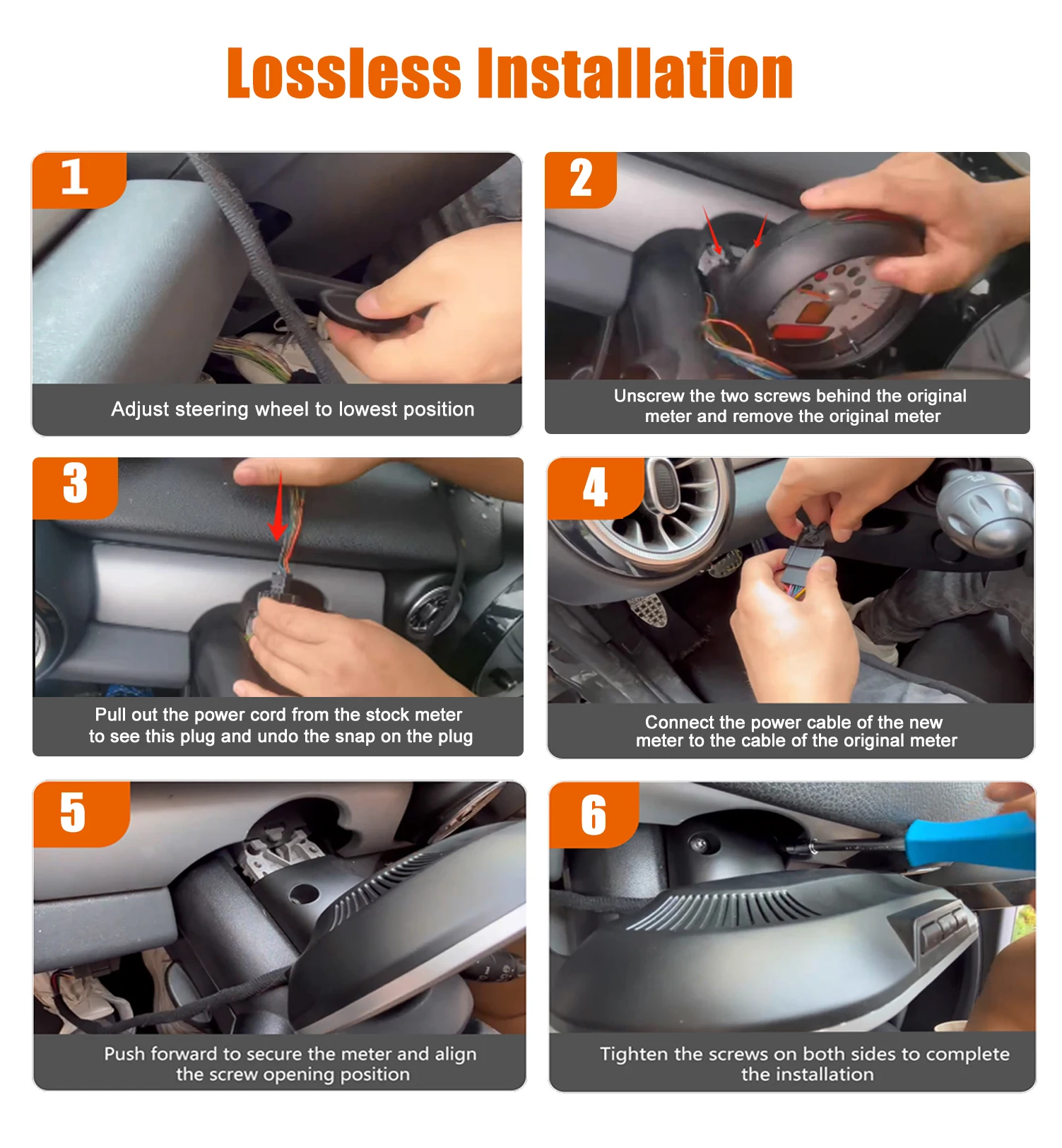
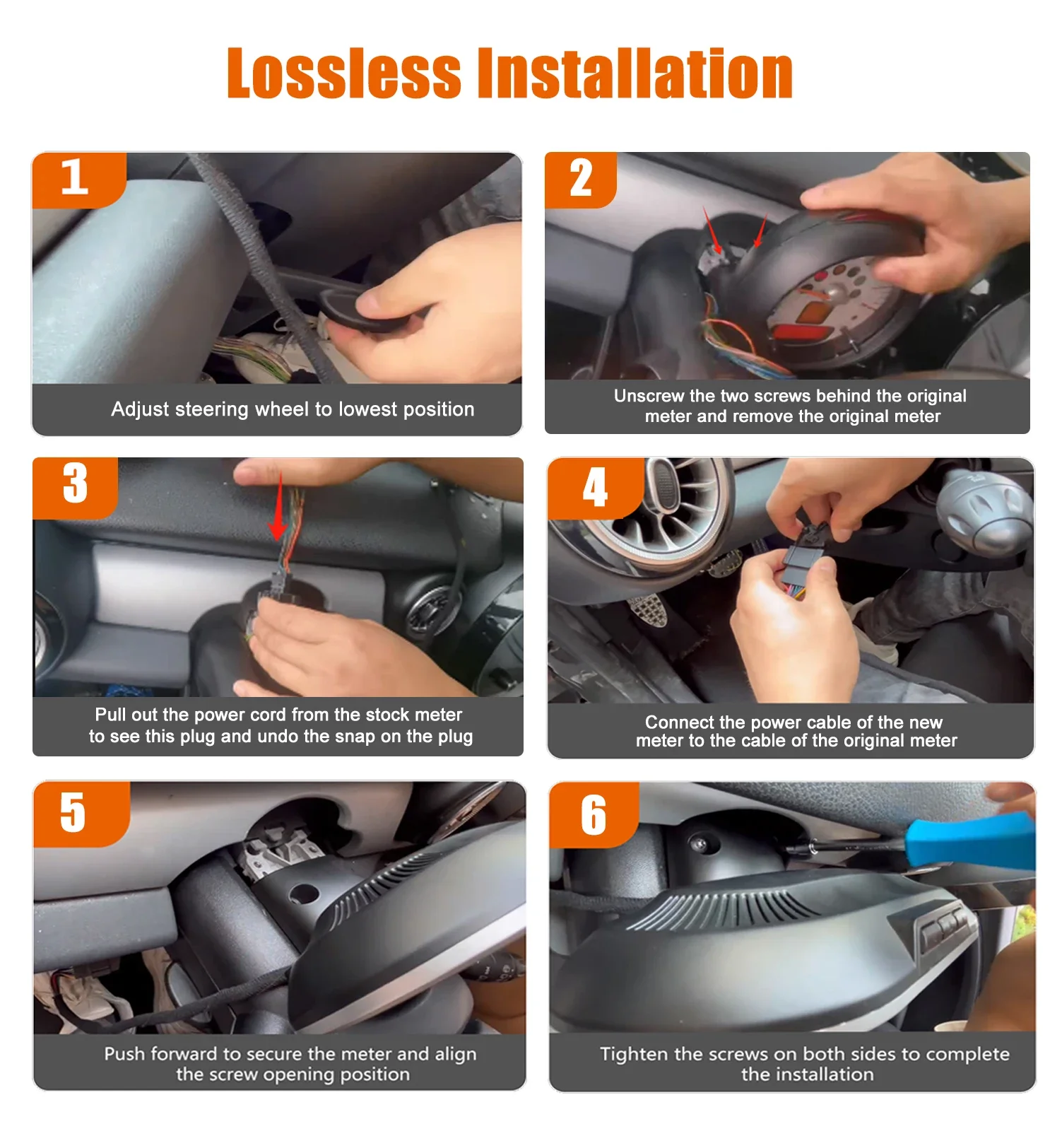
1. Installation steps
1. Disassemble the original car instrument
Tool preparation: 2 iron hooks (for removing the instrument housing) are required.
Procedure:
Use the iron hook to hook the iron brackets on both sides of the instrument, and gently pull outward to take out the original car instrument.
2. Connect the new instrument harness
Wiring Instructions:
Power cable: Insert the power cord of the original car into
2. System Setup Guide
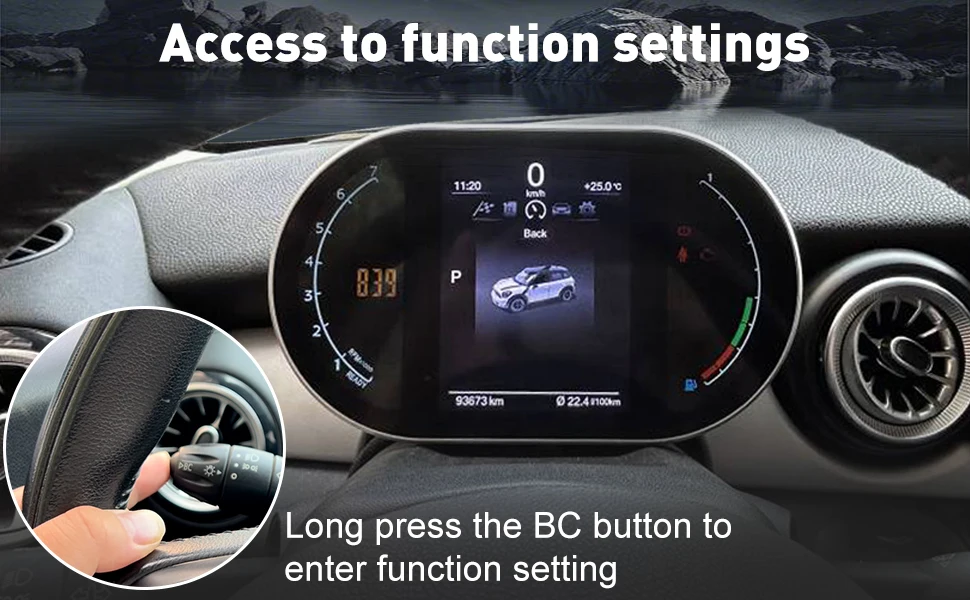
1. Basic function settings
(1) Time and date setting
Operation Path:
Select [Settings] on the main interface→ and press and hold the [OK] button to enter the system settings.
Select [Date & Time]→ press and hold the [OK] button to enter edit mode.
Adjust the hour/minute, month/day parameters by using the upper and lower cursors→ and select [Save] to complete the setting.
(2) Language settings
Operation Path:
System Settings→ Select Language Settings→ Press and hold the OK button.
Select the desired language (such as Chinese, English, etc.) from the list→ Return to the main page to take effect.
2. Vehicle parameter settings
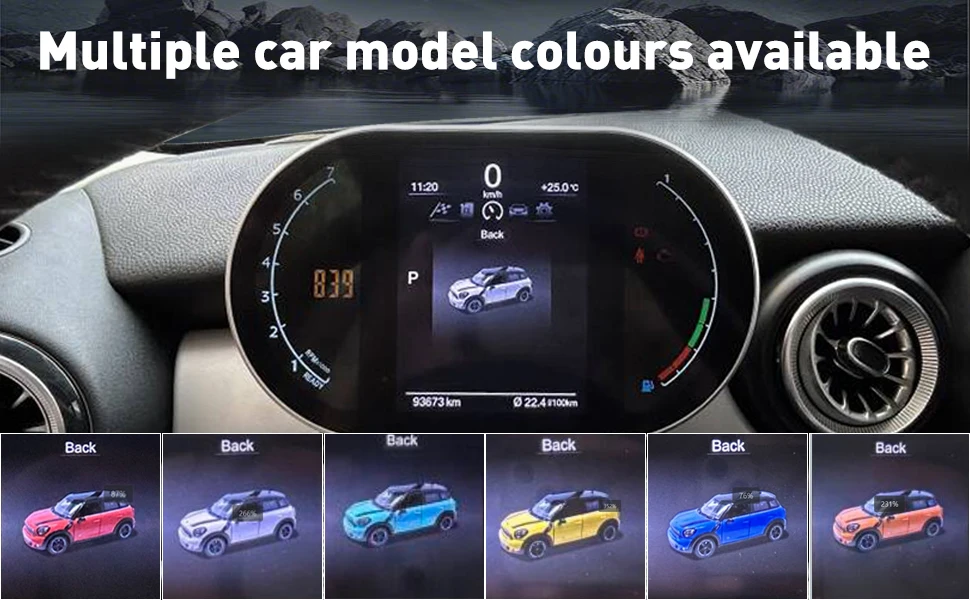
(1) The color of the model and model
Vehicle Settings:
System Settings→ Model Option Settings→ Select the corresponding model (e.g., R55-R61, etc.).
Car color settings:
[System Settings] → [Car Color] → Select the body color (e.g. black/white), and it will be displayed synchronously in real time.
(2) Mileage and unit settings (auto)
Total Mileage Calibration:
Factory Settings→ Enter a passcode (if required→ select ODO Settings→ Manually adjust the total mileage value.
Unit Switching:
General Settings→ Mileage Units→ Select "km" or "mile";
The temperature unit is °C by default and no additional setting is required.
(3) Maximum speed display
Operation Path:
3. Advanced function settings
(1) Door display correction (right-hand drive model)
If the door status display is incorrect, go to [Factory Settings] → [Door Display Settings]→ toggle the "Front/Rear Door Replacement" switch to calibrate the sensor mapping.
(2) UI theme change
Select [Style] on the main interface→ press and hold the [OK] button→ select a preset UI theme
(3) View version information
System Settings → View Version Number, which displays the current firmware version (e.g. "BM@20241206 R31996")
Harness safety: Avoid pulling the optical fiber cable during installation, ensure that the interface is free of dust or foreign objects, and prevent signal transmission failures.
Password permission: The factory settings need to enter the password (the default "0168" or refer to the manual)
Commissioning and verification: After the installation is completed, start the functions of the vehicle inspection dashboard (such as speed, oil temperature, mileage display) to ensure synchronization with the original vehicle system.
Software upgrade: If you need to update the instrument firmware, connect to the computer through a USB cable and import the upgrade file provided by the official (you need to contact the after-sales service to obtain it).
4. Troubleshooting
Symptom Possible Cause Resolution
No display of the meter The power cord is not connected properly or short-circuited Check the connection of the plastic shell interface and measure the power supply voltage (12V)
The language display is out of order, and the system settings are not saved. Re-enter [Language Settings] and confirm the saving
Door status display error Sensor mapping is abnormal Replace the door option with [Door Display Settings].
Fuel consumption information is not displayed
Solution: Enter the setup password 0168/0169-set corresponding to the original car model-OK.
Defects appear on the screen after installation
Solution: Keep the vehicle running, drive for a certain distance, and it will disappear automatically.
Couldn't load pickup availability
36 in stock
View full details