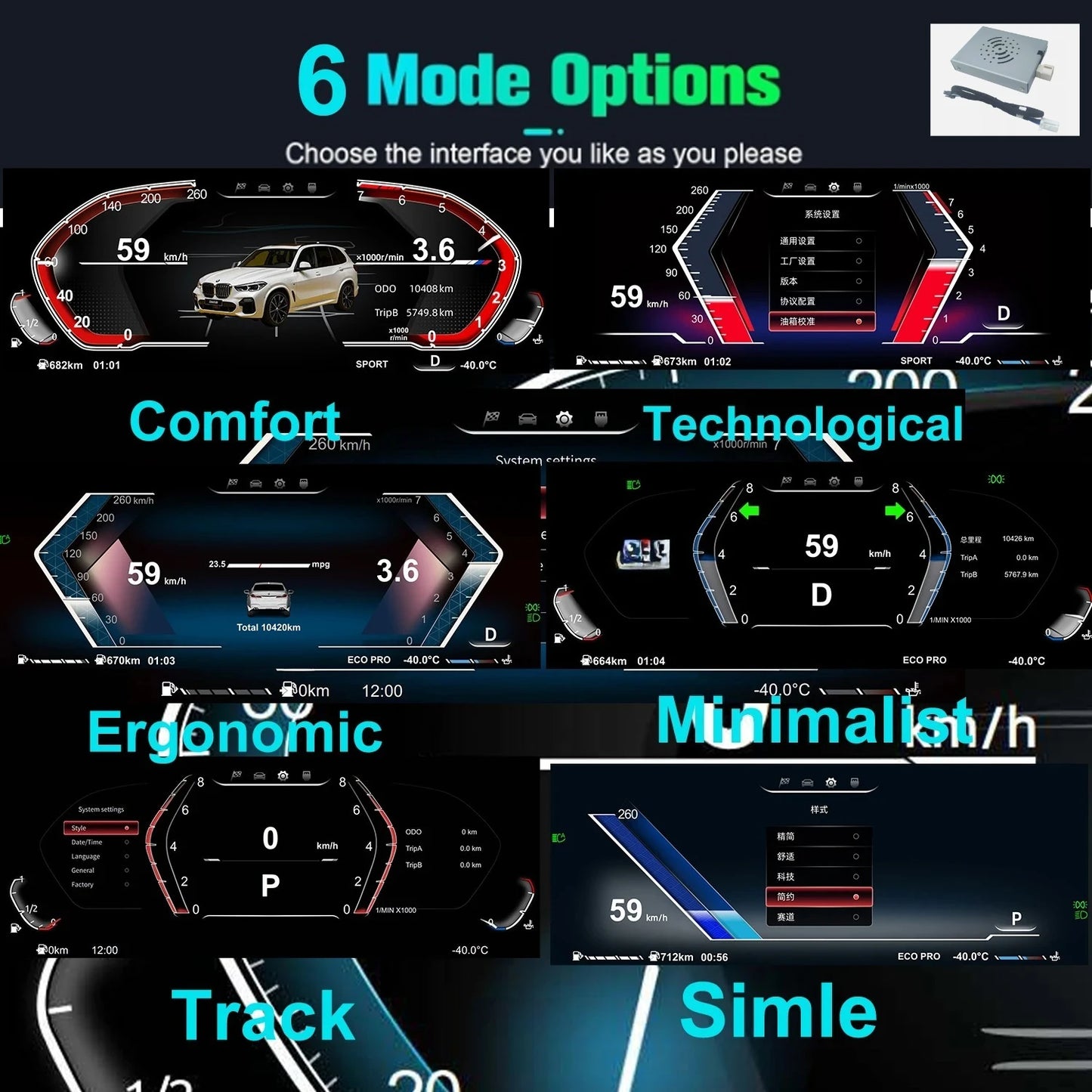
Cluster Dashboard For BMW F10 F15 F16 F25 F02 F07 X3 X4 X5 X6 5 Series speedometer LCDinstrument panel digital instrument
Cluster Dashboard For BMW F10 F15 F16 F25 F02 F07 X3 X4 X5 X6 5 Series speedometer LCDinstrument panel digital instrument
SPECIFICATIONS
Brand Name: NONE
High-concerned chemical: None
Item Height: 20
Item Length: 40
Item Weight: 2.2KG
Item Width: 20
Origin: Mainland China

Manual gear display is not supported
It does not support the display of maintenance information of the original car (Please view on the screen)
operating system: Linux 5.4
ROM:Emmc8GB
RAM:1.024GB
USB:USB 2.0
Screen resolution:1920*720
Working current:480mA
working valtage:9V-18V
Standby curent:< 3mA
working temperature:-20-75°C
Storage temperature:-40-85“C
Support road sign display, speed limit, navigation direction
Can be changed to miles
1. Local AliExpress stores in Europe will ship from EU warehouses within 24 hours after confirming payment and can be sent to the entire European region. We bear all sales taxes and tariffs (you can consult me to confirm if there is inventory in the EU warehouse).
2. The top ten brands on AliExpress have their own product factories, which are deeply loved by customers. Our goal is to provide you with more favorable prices while ensuring quality, without worrying about any unexpected situations. We provide free firmware, software, user interface, and navigation map updates.
3. All products undergo strict quality testing before shipment to ensure high quality.
If there is a problem with the product within 1 year after confirmation of receipt, we will directly replace it with a new machine and provide free repairs within 2 years. However, please contact us for communication first (24-hour customer service)
4. Please confirm whether the package is correct when signing for it to prevent theft. If the package is stolen, please notify the delivery personnel immediately and contact me
5. If you give us a 5-star review after receiving the product and attach a photo of the radio, we will extend the after-sales guarantee for you

For BMW 5 Series GT-F07(2009-2016)CIC,NBT
For BMW 5 Series F10/F11/F18(2010-2017)CIC,NBT
For BMW 6 Series F06/F12/F13(2011-2017)CIC,NBT
For BMW7 Series FO1/F02/F03(2009-2015)CIC,NBTX3-For BMW F25/X4-F26(2011-2017)NBT,
For BMWX5-F15/X6-F16(2014-2018)NBT System
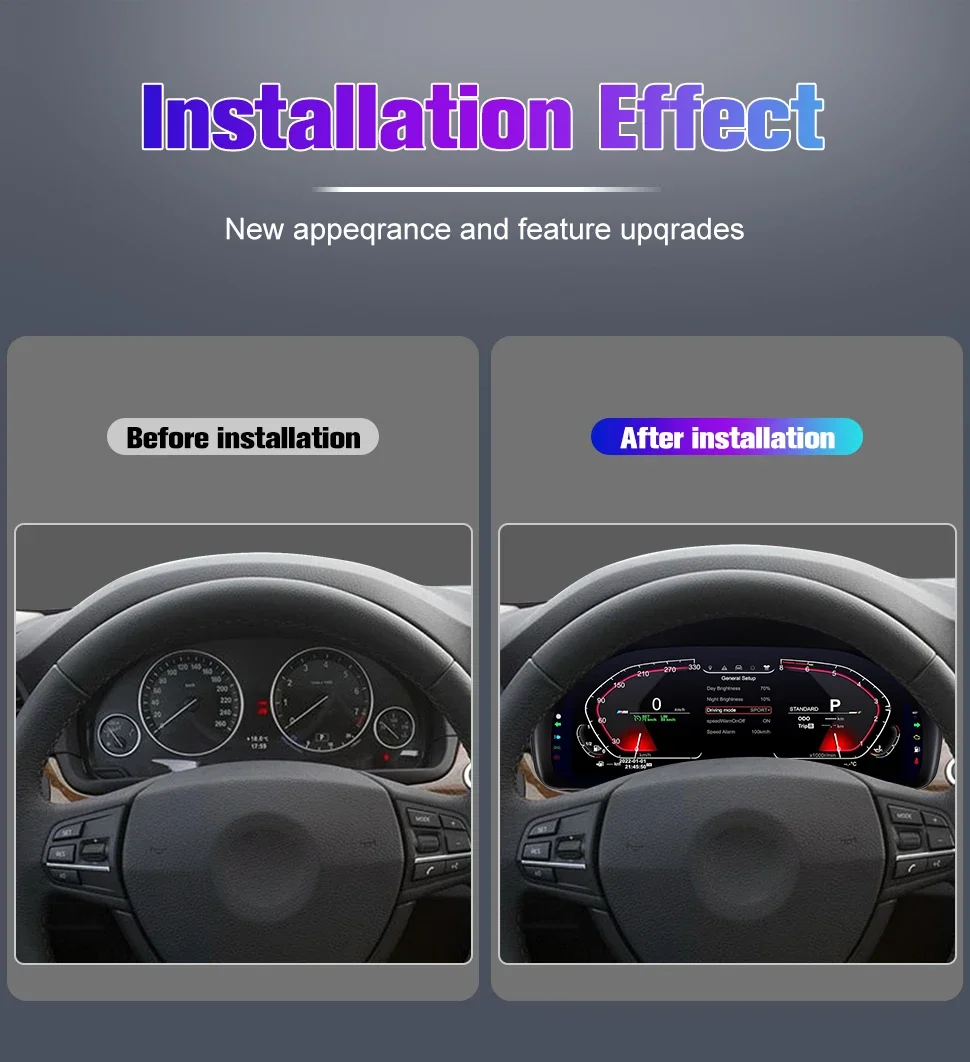
Plug and play. No coding or programming required, and the original odometer still works.
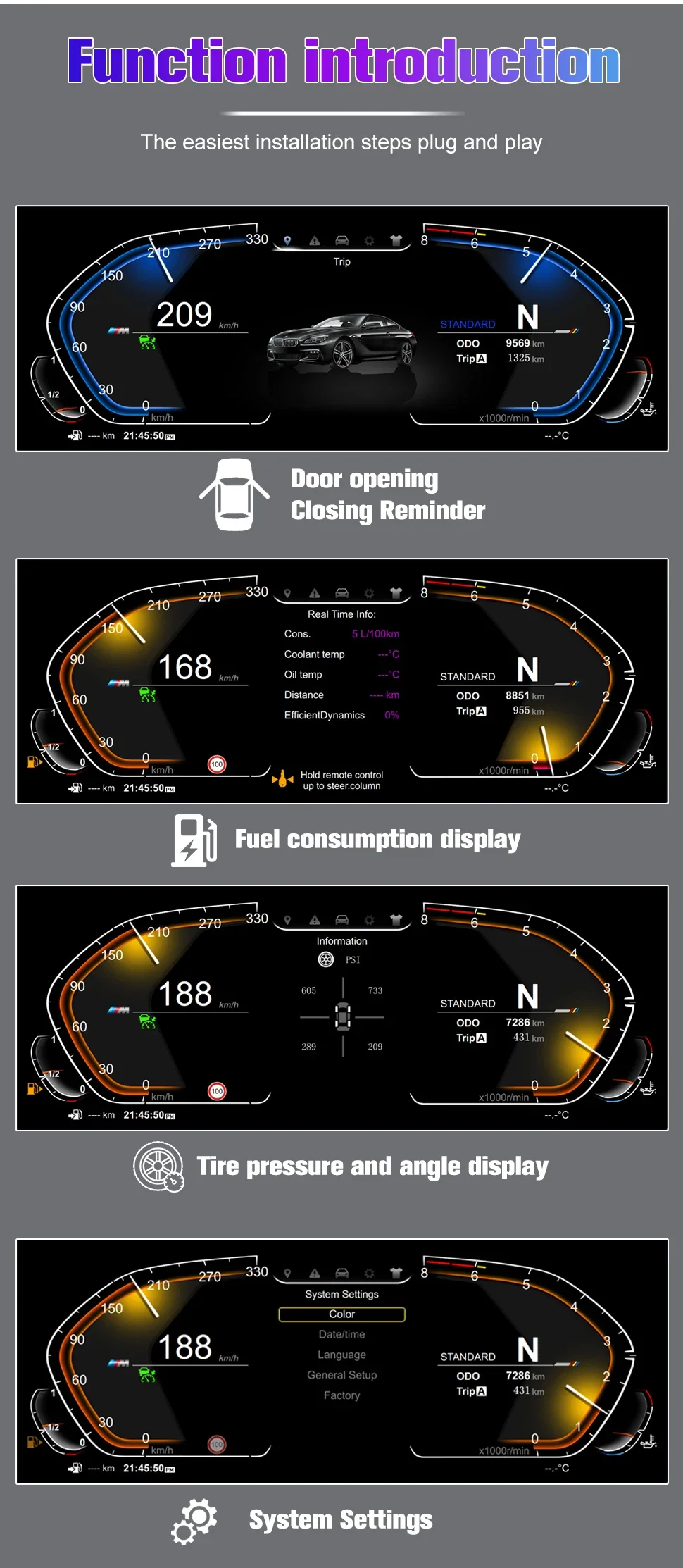
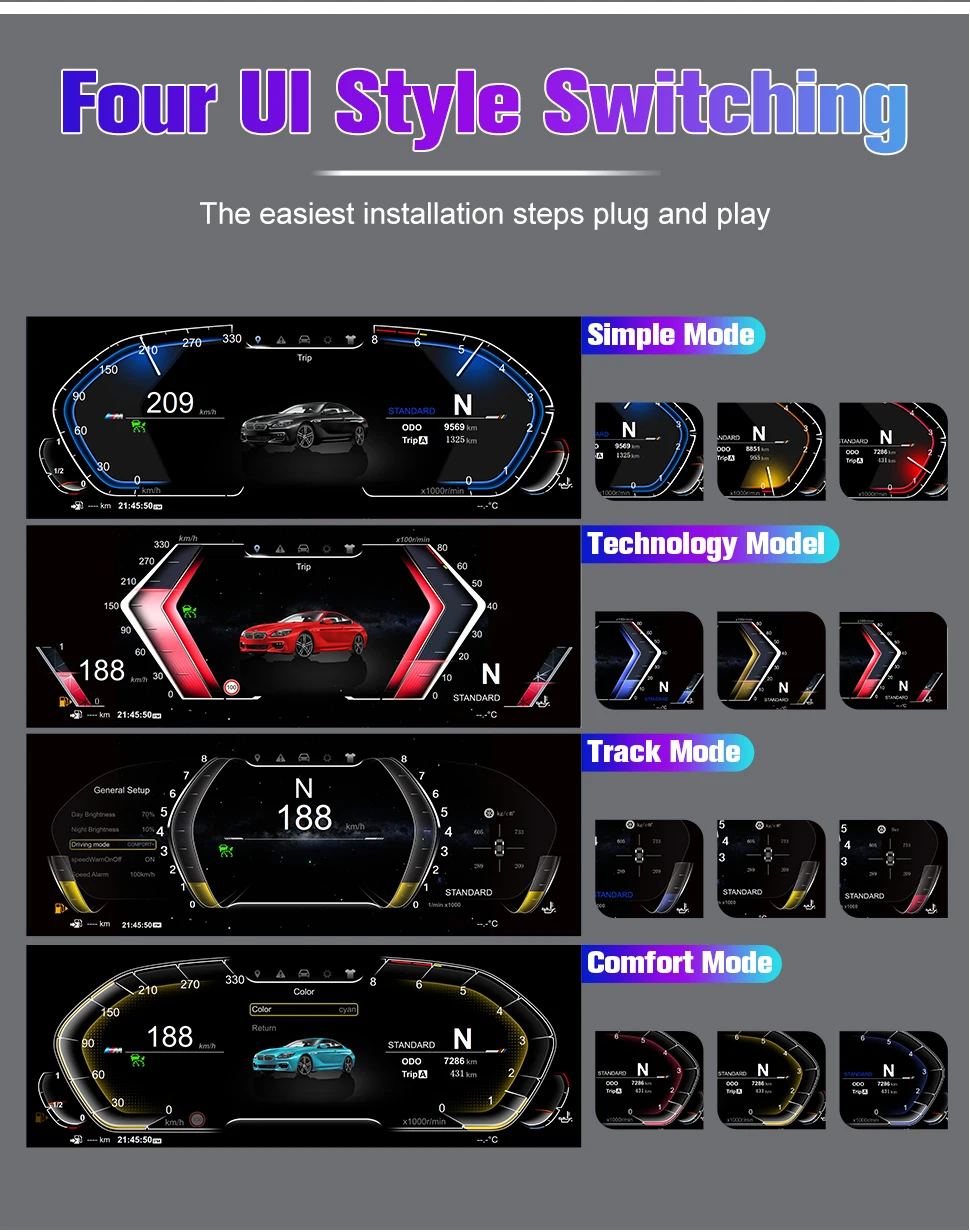
3D animated display of door and tire information. Fuel consumption, speed, and fuel level will still be displayed on the new screen.
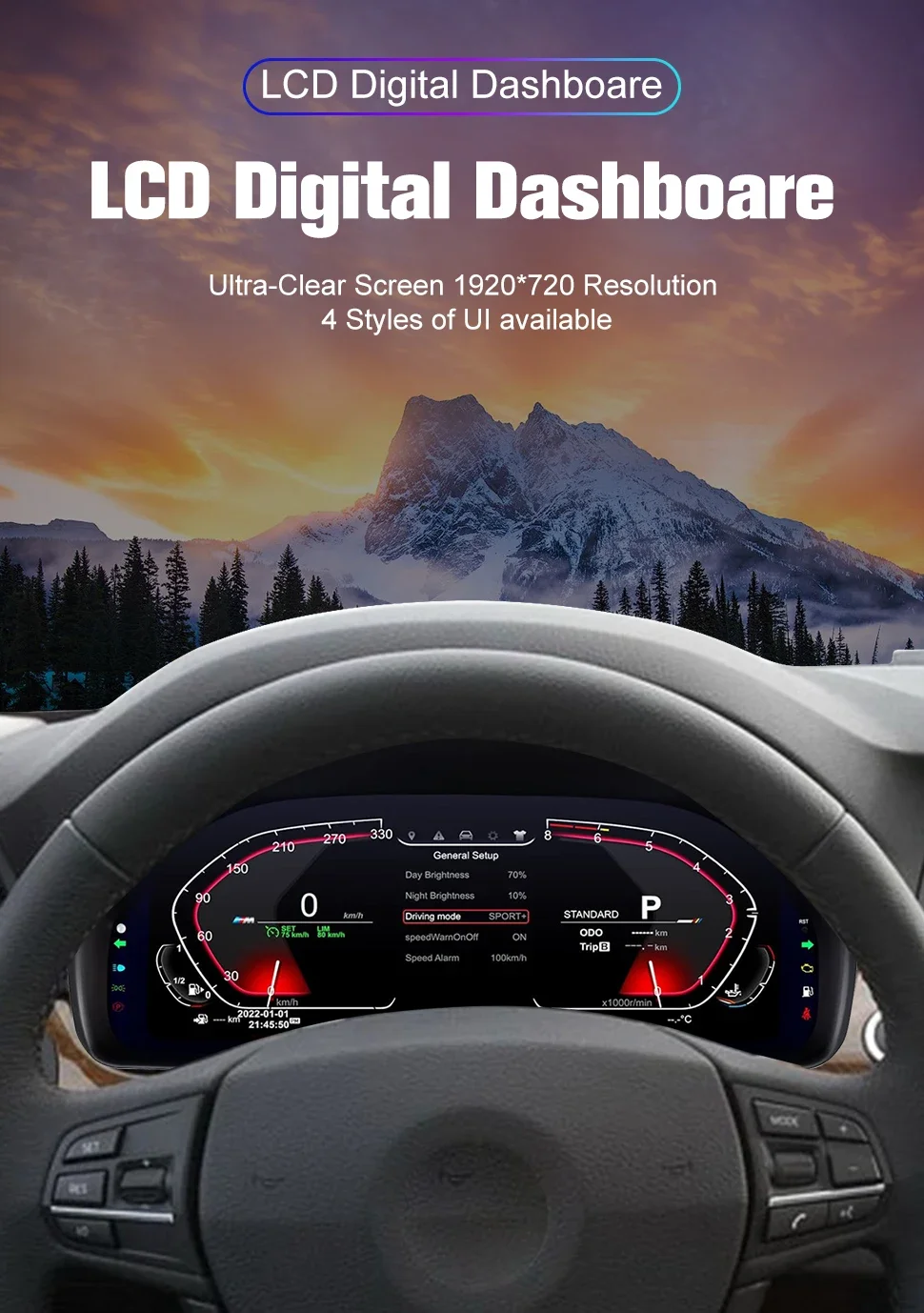
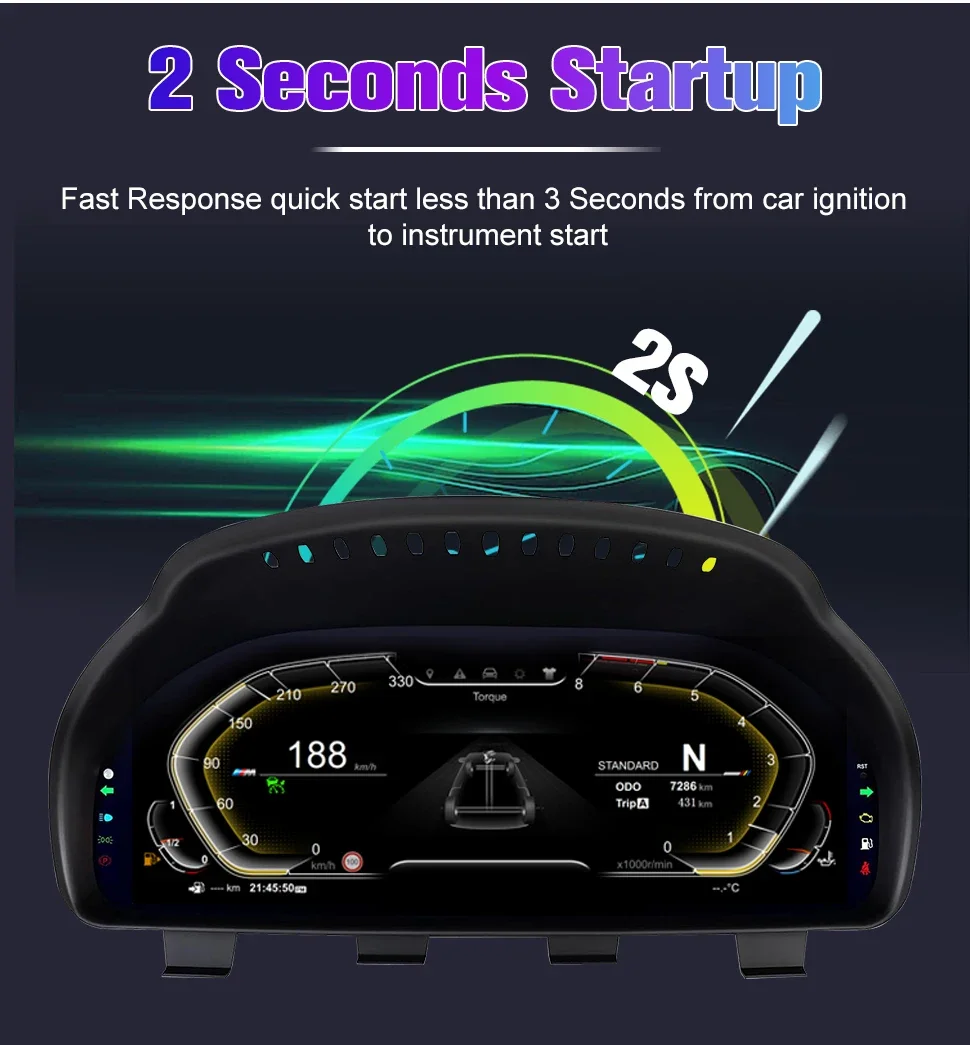
HD 1920×720 resolution, 12.3-inch blue-light anti-glare screen, LCD digital dashboard. A high-quality display screen for any visualization.
Supports multiple languages: English, Japanese, Korean, German, Russian, Spanish, Portuguese, French, Italian, Turkish.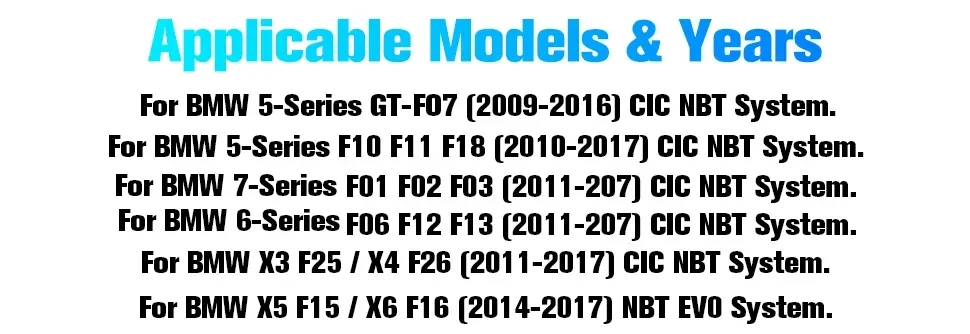
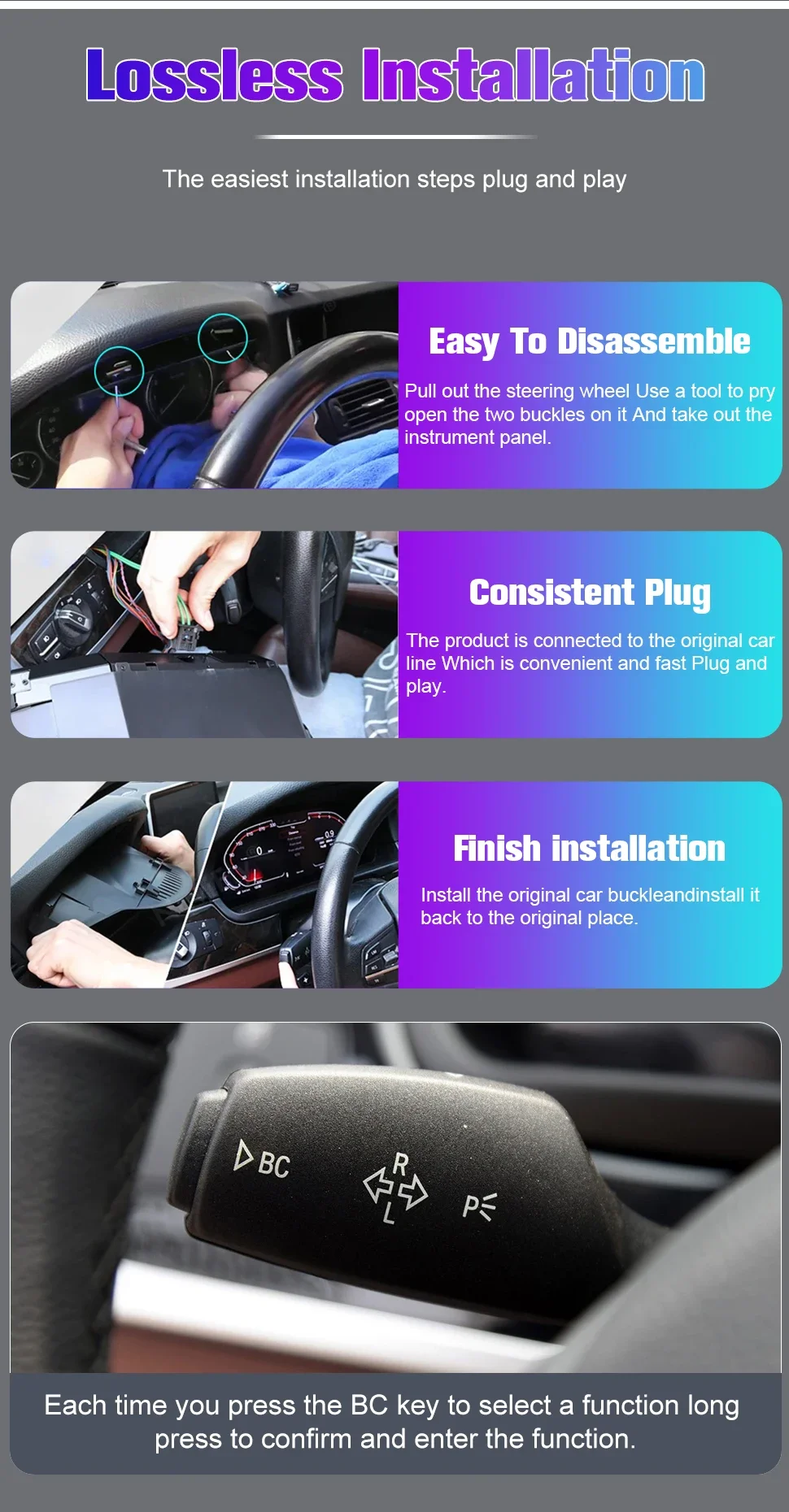
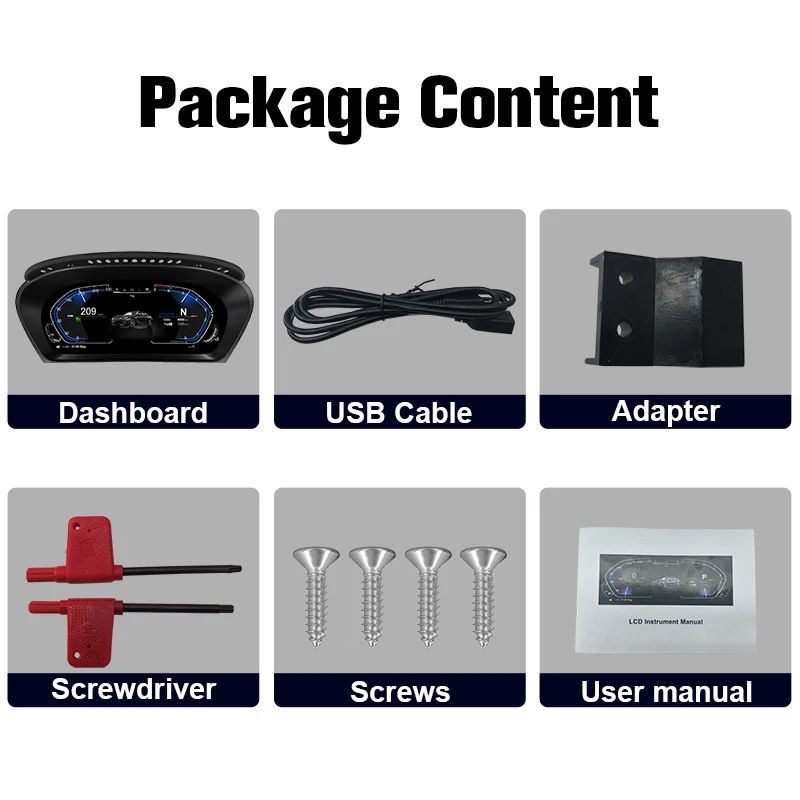
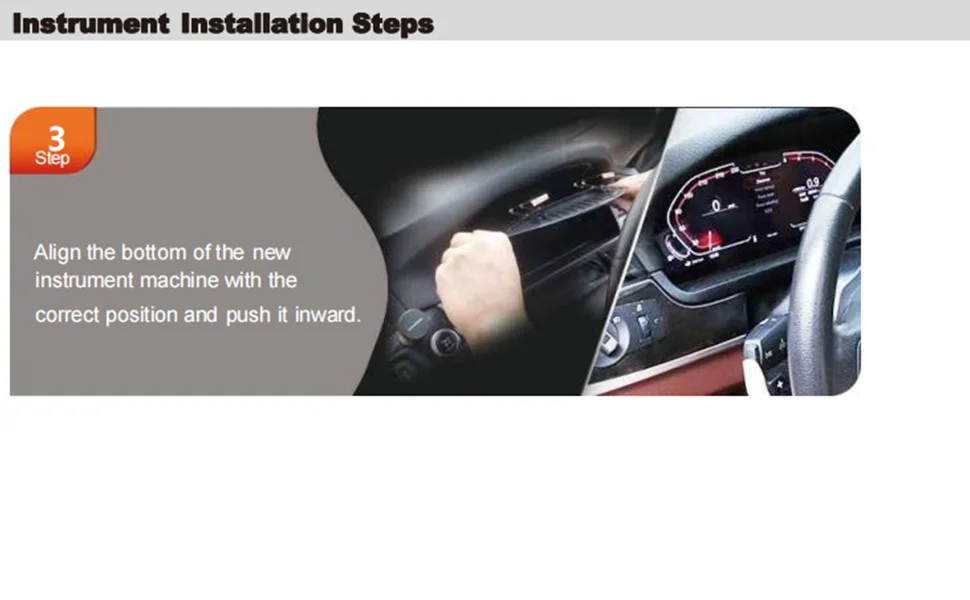
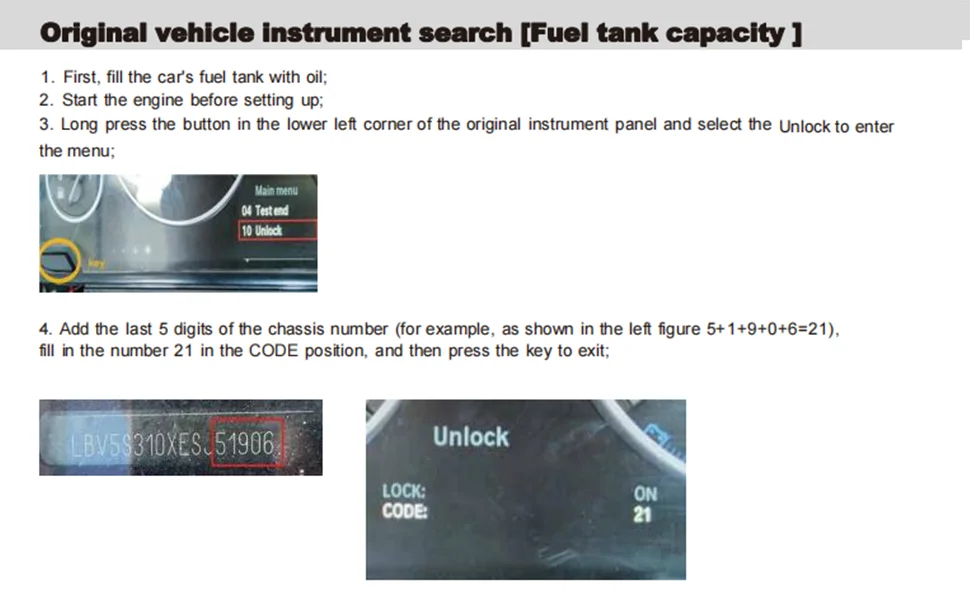
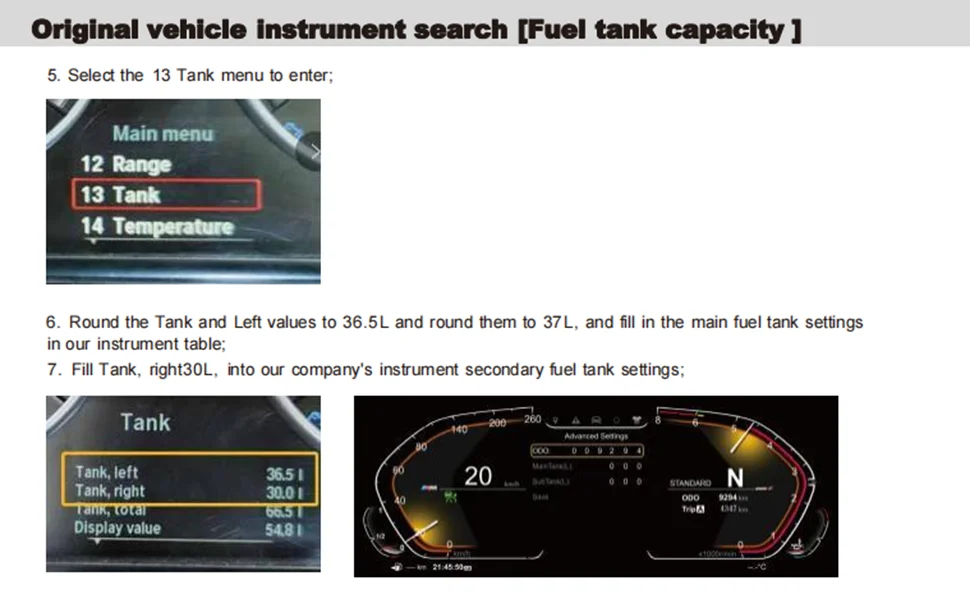
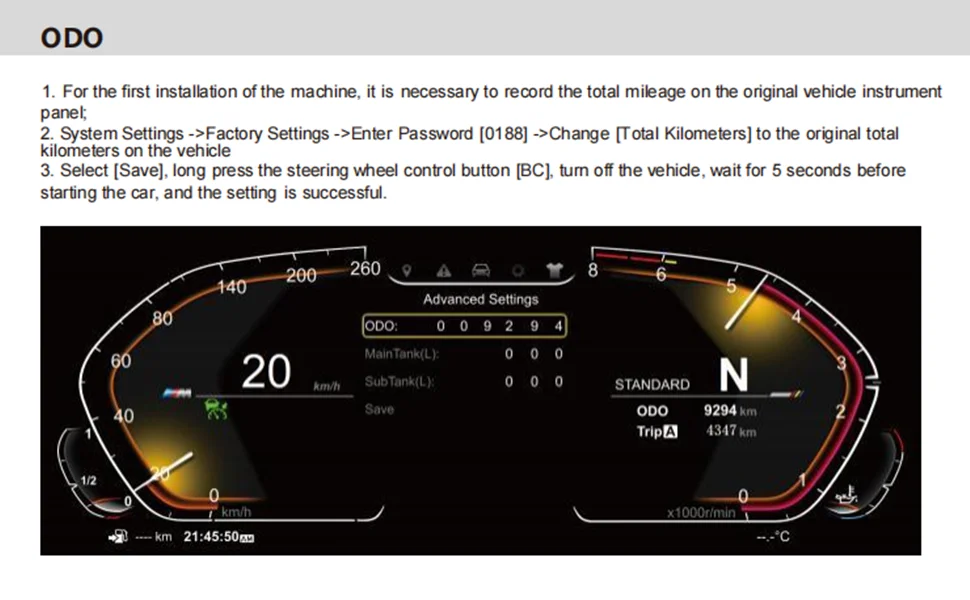
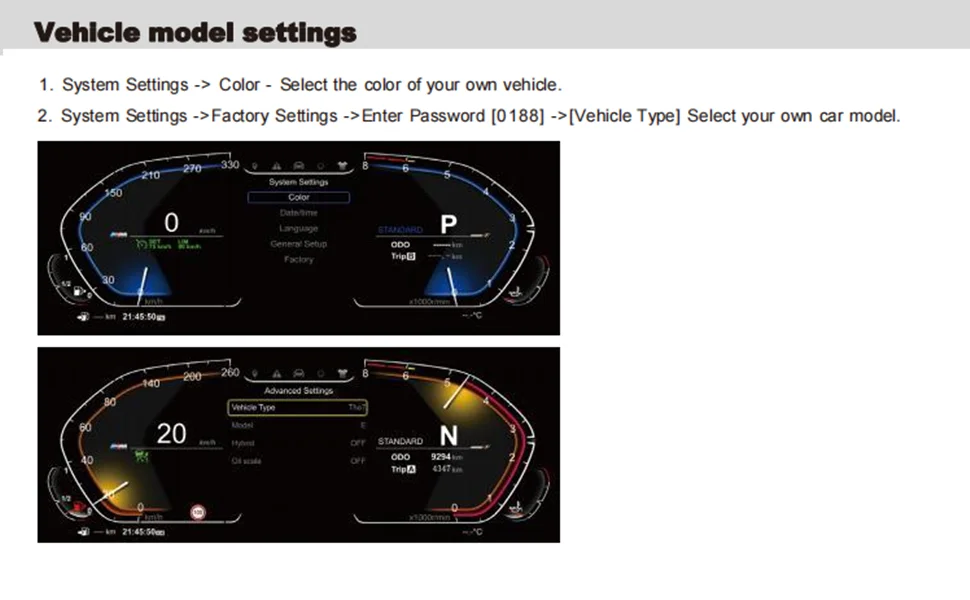
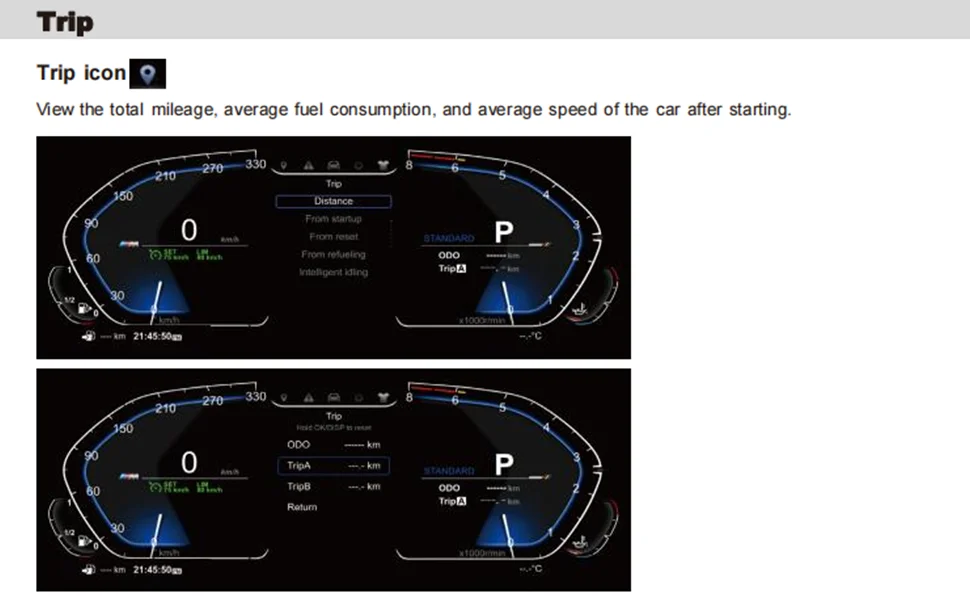
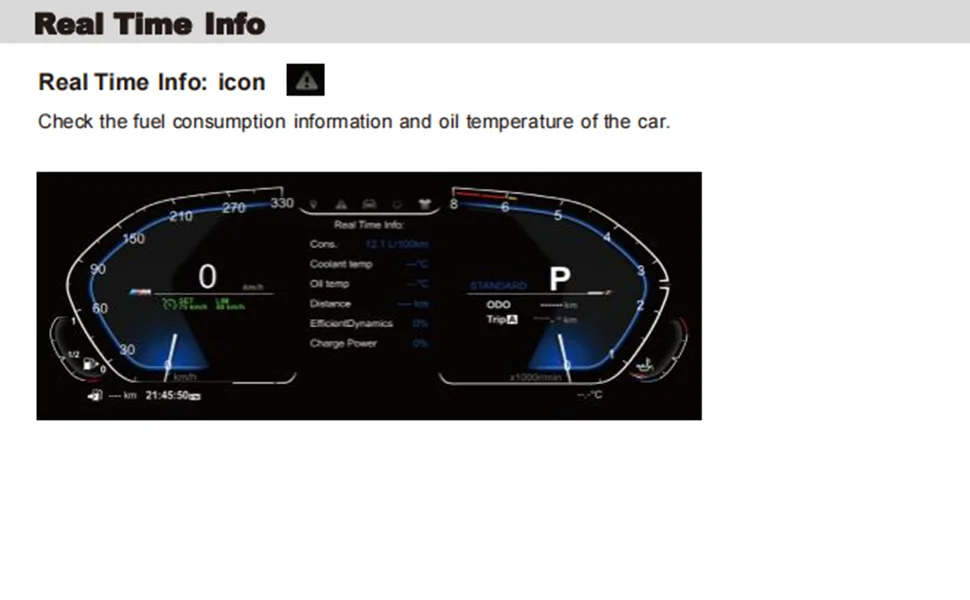
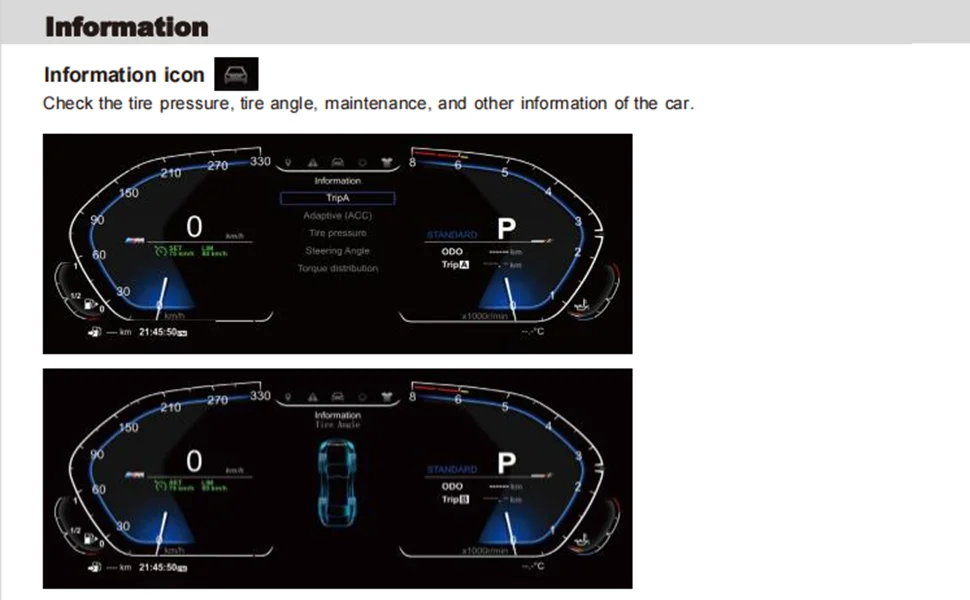
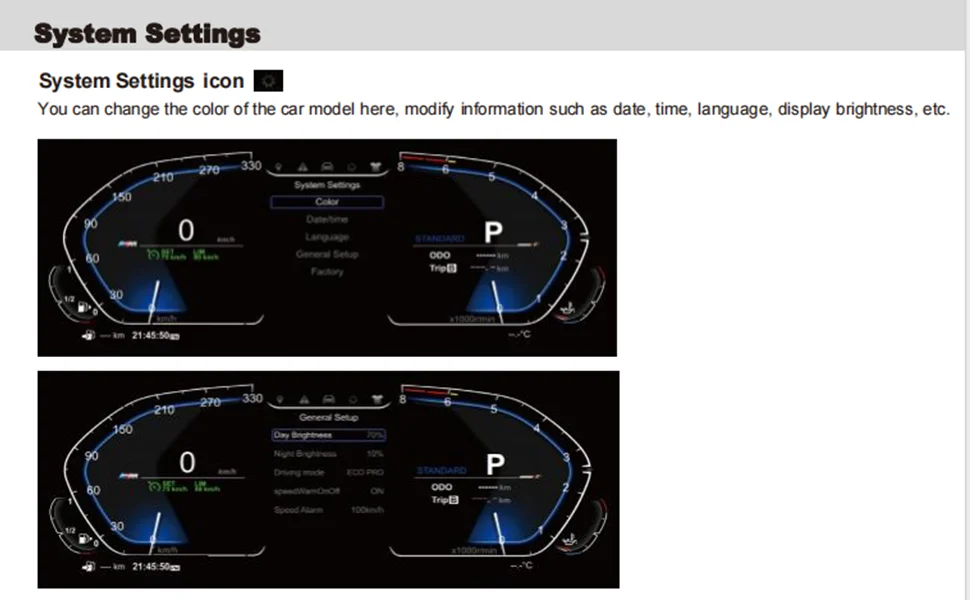
1. Installation steps
1. Disassemble the original car instrument
Tool preparation: 2 iron hooks (for removing the instrument housing) are required.
Procedure:
Use the iron hook to hook the iron brackets on both sides of the instrument, and gently pull outward to take out the original car instrument.
Separate the power cord and optical fiber line of the original car instrument.
2. Connect the new instrument harness
Wiring Instructions:
Power cable: Insert the power cord of the original car into the matching plastic shell interface (confirm the positive and negative pole matching).
Optical fiber cable: directly connected to the original vehicle optical fiber interface to ensure a stable connection.
2. System Setup Guide
1. Basic function settings
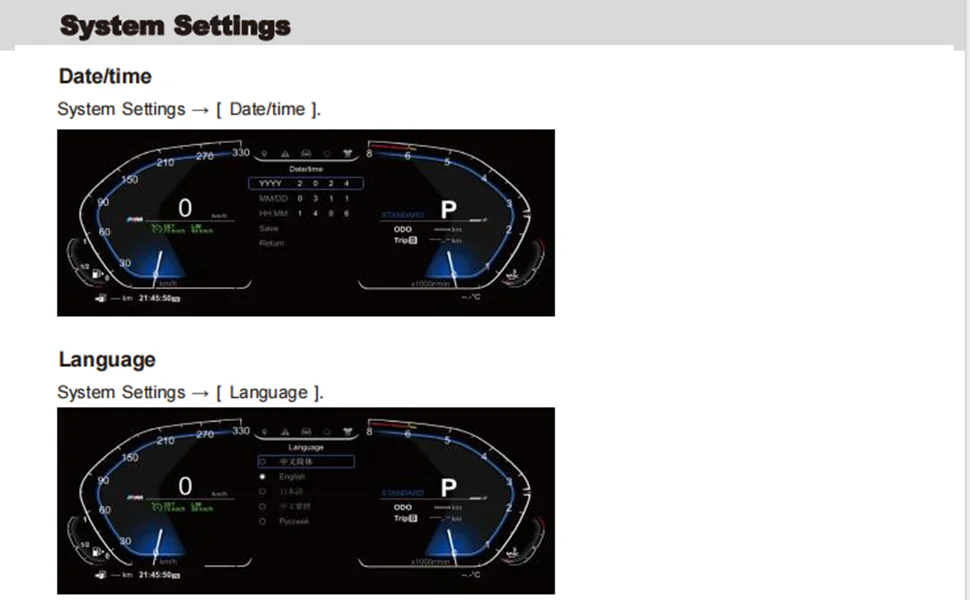
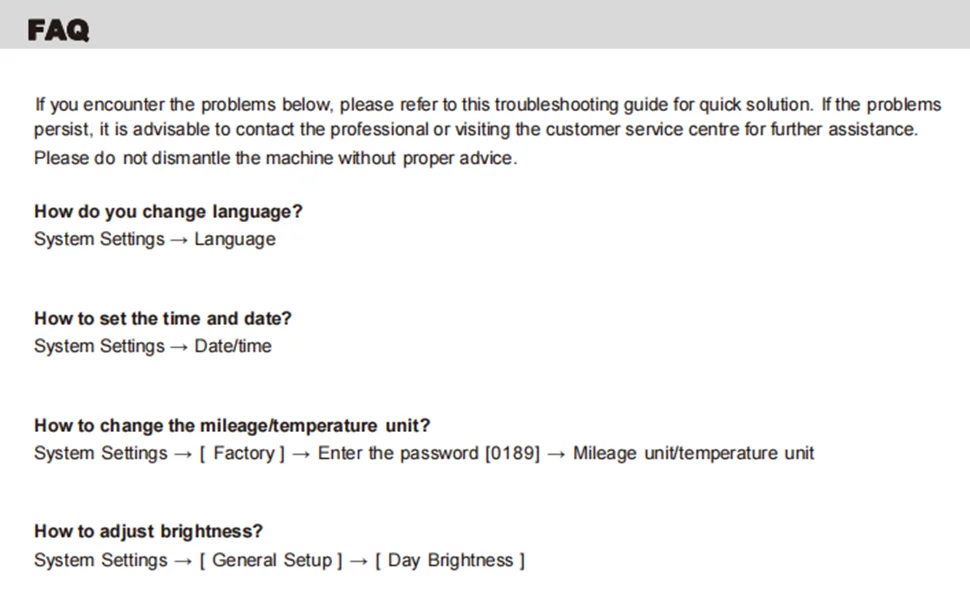
(1) Time and date setting
Operation Path:
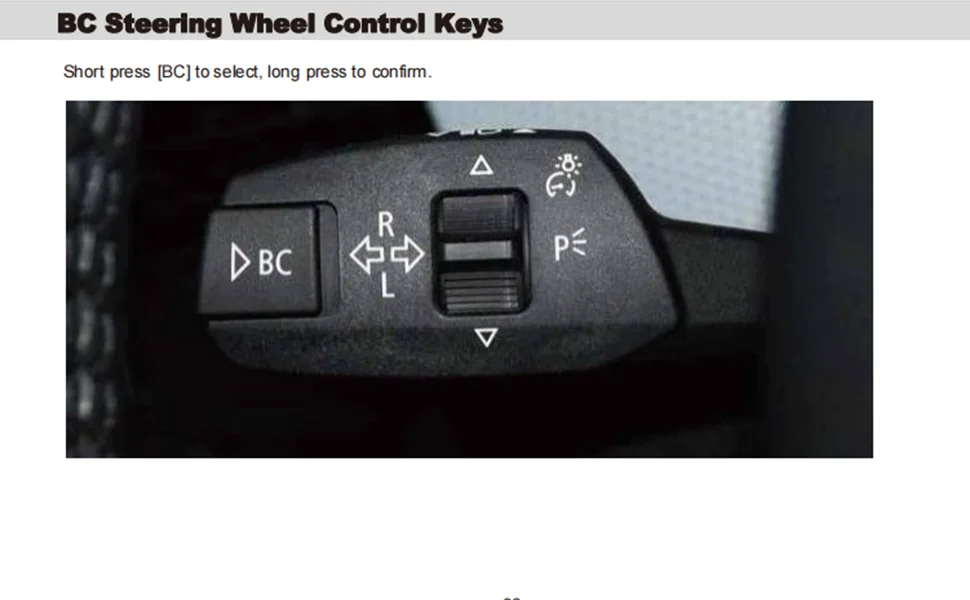
Select [Settings] on the main interface→ and press and hold the [OK] button to enter the system settings.
Select [Date & Time]→ press and hold the [OK] button to enter edit mode.
Adjust the hour/minute, month/day parameters by using the upper and lower cursors→ and select [Save] to complete the setting.
(2) Language settings
Operation Path:
System Settings→ Select Language Settings→ Press and hold the OK button.
Select the desired language (such as Chinese, English, etc.) from the list→ Return to the main page to take effect.
2. Vehicle parameter settings
(1) The color of the model and model
Vehicle Settings:
System Settings→ Model Option Settings→ Select the corresponding model (e.g., F10/F18, etc.).
Car color settings:
[System Settings] → [Car Color] → Select the body color (e.g. black/white), and it will be displayed synchronously in real time.
(2) Mileage and unit settings
Total Mileage Calibration:
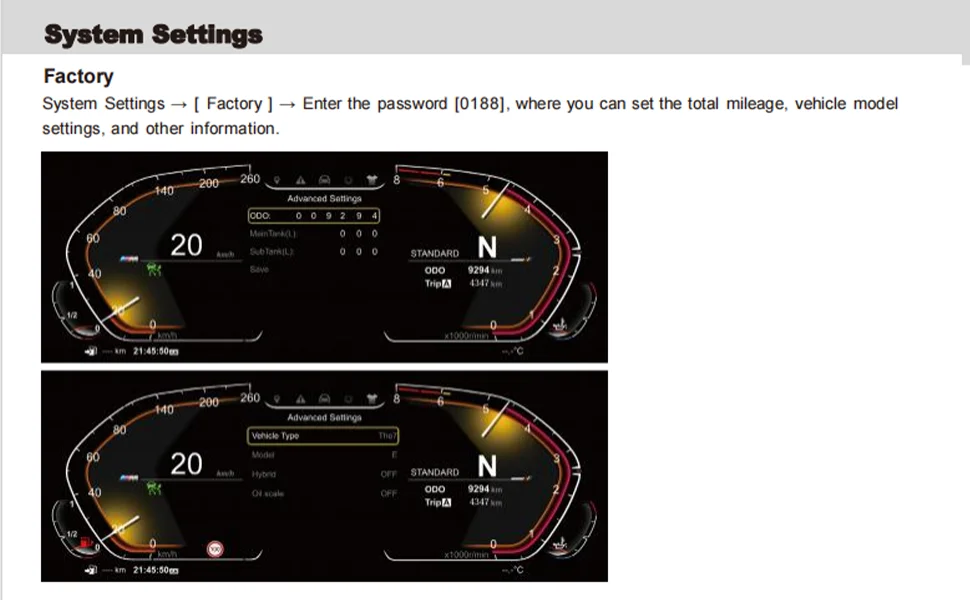
Factory Settings→ Enter a passcode (if required→ select ODO Settings→ Manually adjust the total mileage value.
Unit Switching:
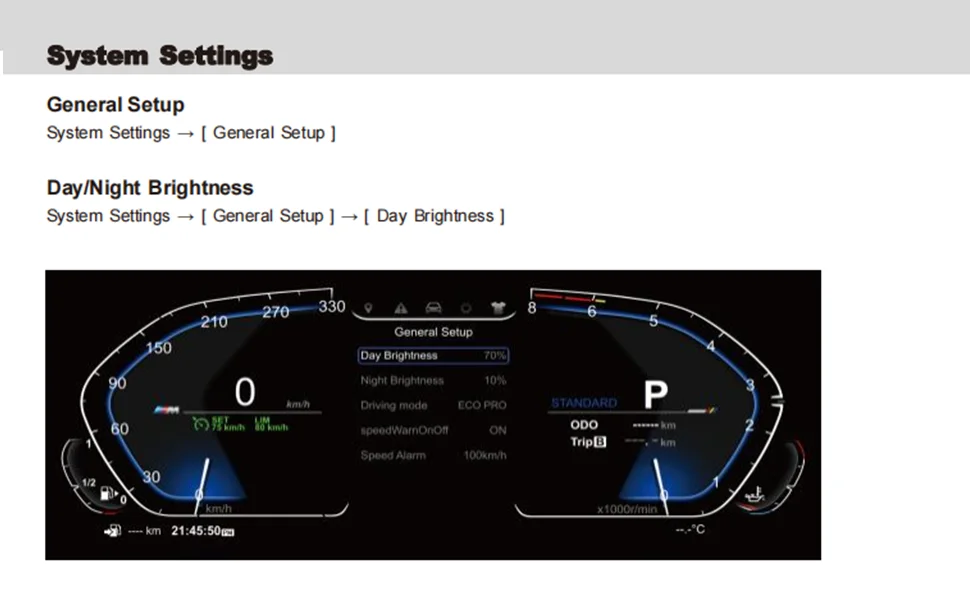
General Settings→ Mileage Units→ Select "km" or "mile";
The temperature unit is °C by default and no additional setting is required.
(3) Maximum speed display
Operation Path:
[General Settings] → [Maximum Speed Settings]→ Select the corresponding scale (e.g., 260km/h, 300km/h, etc.) to match the specifications of the original car dashboard.
3. Advanced function settings
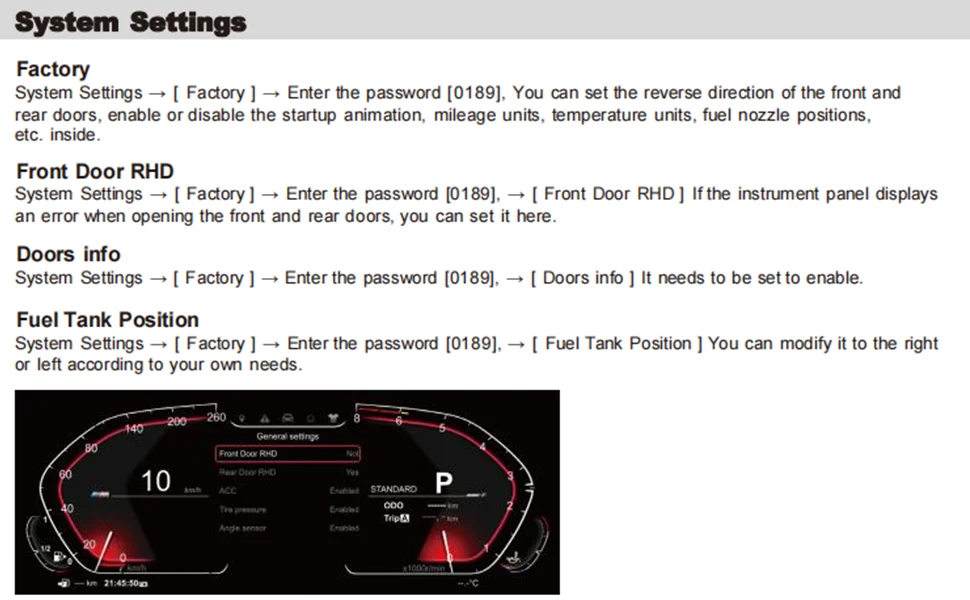
(1) Door display correction (right-hand drive model)
If the door status display is incorrect, go to [Factory Settings] → [Door Display Settings]→ toggle the "Front/Rear Door Replacement" switch to calibrate the sensor mapping.
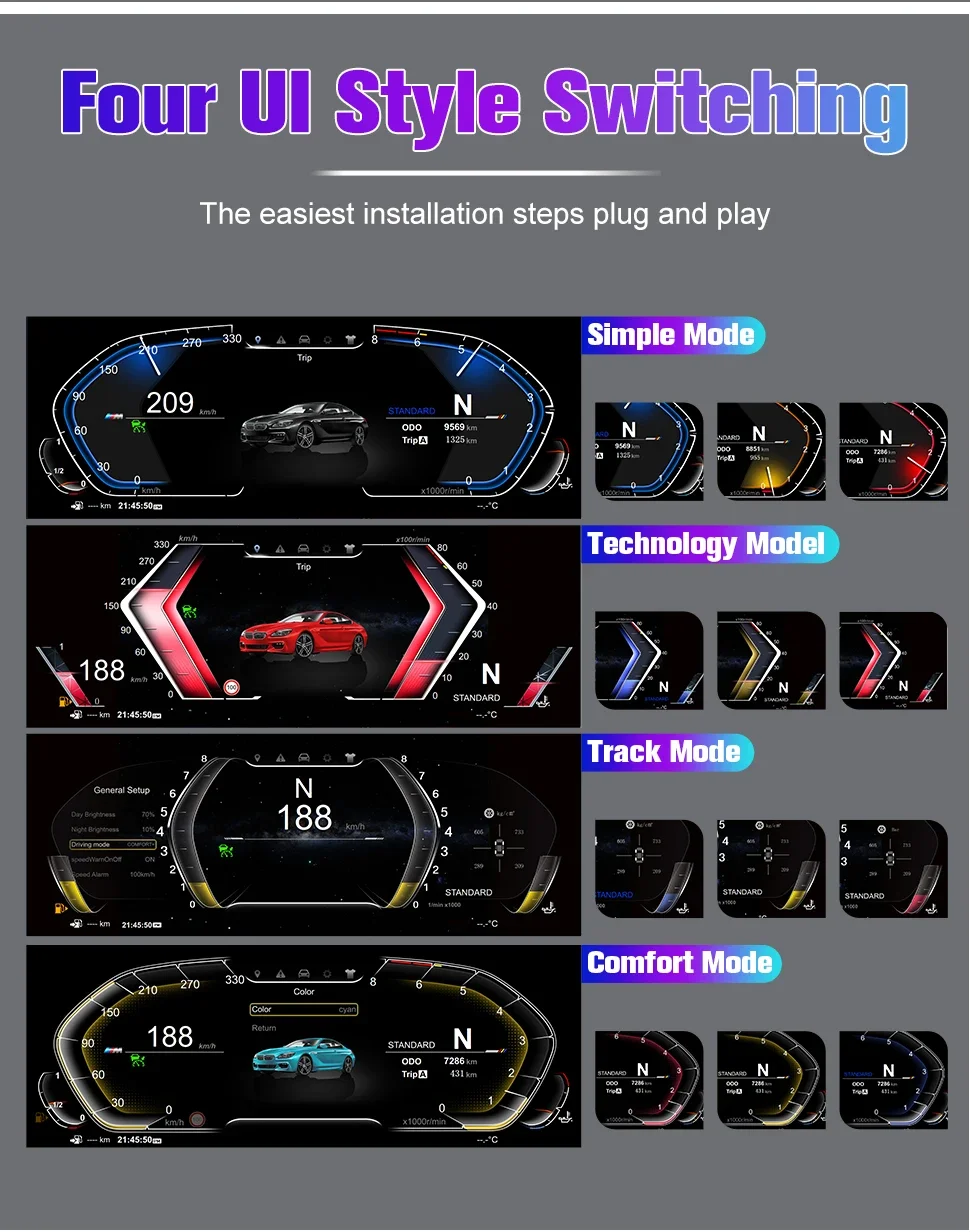
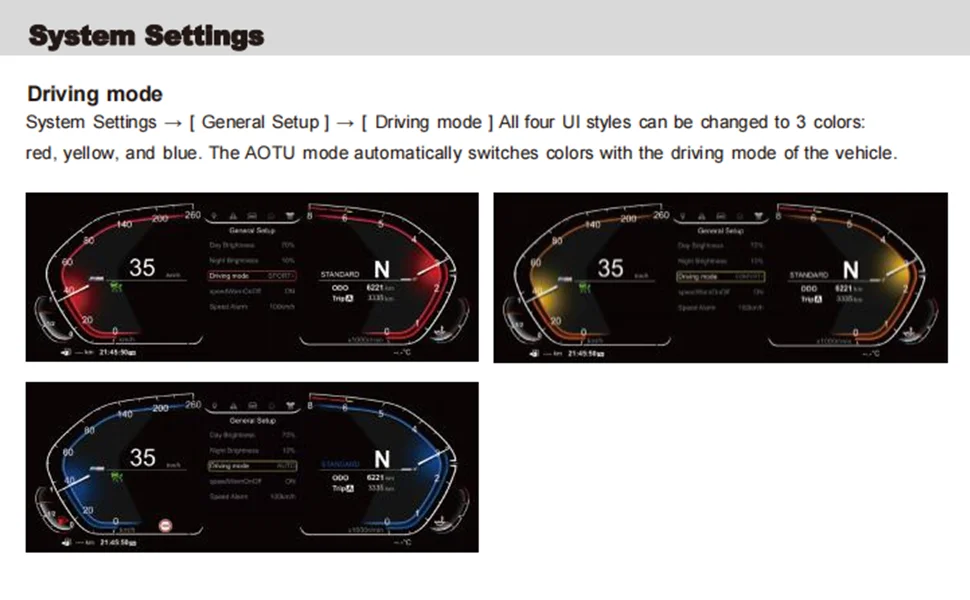
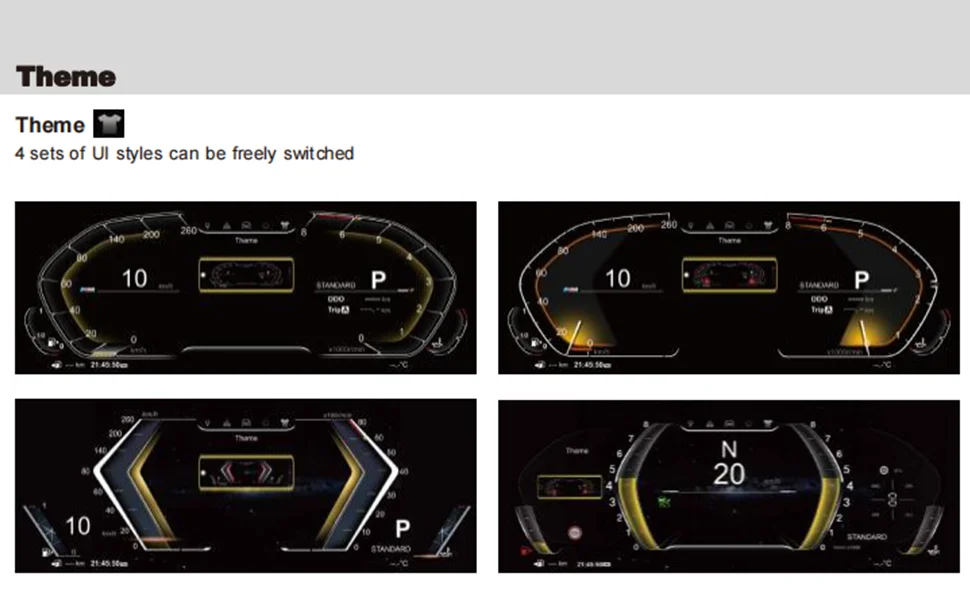
(2) UI theme change
Select [Style] on the main interface→ press and hold the [OK] button→ select a preset UI theme (such as classic, sports, etc.→ Return to the new interface of the app.
(3) View version information
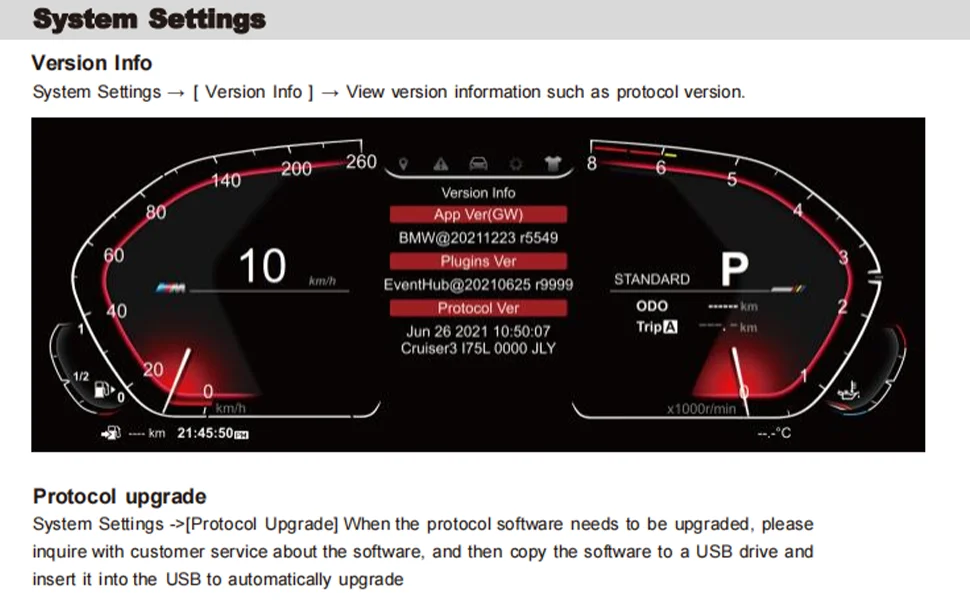
System Settings → View Version Number, which displays the current firmware version (e.g. "BM@20241206 R31996") for software upgrade reference.
3. Precautions for operation
Harness safety: Avoid pulling the optical fiber cable during installation, ensure that the interface is free of dust or foreign objects, and prevent signal transmission failures.
Password permission: The factory settings need to enter the password (the default "0168" or refer to the manual), non-professionals should not modify the parameters at will.
Commissioning and verification: After the installation is completed, start the functions of the vehicle inspection dashboard (such as speed, oil temperature, mileage display) to ensure synchronization with the original vehicle system.
Software upgrade: If you need to update the instrument firmware, connect to the computer through a USB cable and import the upgrade file provided by the official (you need to contact the after-sales service to obtain it).
4. Troubleshooting
Symptom Possible Cause Resolution
No display of the meter The power cord is not connected properly or short-circuited Check the connection of the plastic shell interface and measure the power supply voltage (12V)
The language display is out of order, and the system settings are not saved. Re-enter [Language Settings] and confirm the saving
Door status display error Sensor mapping is abnormal Replace the door option with [Door Display Settings].

Couldn't load pickup availability
35 in stock
View full details