SofaBaton X1S Universal Remote with Hub and App, All in One Smart Universal Remote Control Control Up to 60 IR/Bluetooth/WiFi
SofaBaton X1S Universal Remote with Hub and App, All in One Smart Universal Remote Control Control Up to 60 IR/Bluetooth/WiFi
SPECIFICATIONS
1: Universal Remote
2: Universal Tv Remote
3: Smart Universal Remote
4: SofaBaton X1
5: SofaBaton X1S
Brand Name: Sofabaton
High-concerned chemical: None
Model Number: X1S
Origin: Mainland China
Package: Yes
Support APP: Yes
Use: TV,Universal,Cinema Projector,Audio / Video Players,Speaker
Wireless Communication: WiFi,Bluetooth
!!!Please note: The product is original and brand new. The default package is equipped with an (US) charging plug (if you mind, please don't buy it), and the charging plug can use your own mobile phone plug, so don't worry if you buy it.
Simplify Your Life with Only One Remote Control - SofaBaton X1S Universal Remote Control
A good universal remote can completely change your living room experience. Instead of juggling a bunch of different remotes for your TV, DVD, cable box, game console, streaming box, blu-ray player, projector, AV receive, sound bars or whatever else.
SofaBaton X1S universal remote controls anything you might have today and anything you might buy in the future. It’s easy to program and can turn on multiple devices in the right sequence. It can control devices that have traditional IR systems, but also can control newer ones that rely on Bluetooth, and also control WIFI devices at home such as Philip Hue, Amazon’s Fire TV, Sonos speakers, etc. It’s also accessible and easy to learn, so anyone in your household can just pick up the remote and watch something.
 Compatibility Without Limits! Supports Up To 6,000 Brands and 500,000 Home Entertainment Devices
How to Add Your Devices:
For Infrared control devices, please refer to the following steps:
Choose Infrared –>> Searching –>> Enter Your Device Brand –>> Enter Your Device Model –>> Complete –>> Downloading the Code.
Note: If your device is not listed, you can fuzzy search the brand (enter the brand, and then check "Do not know the detailed model", you can find out if there is a suitable infrared code in these code bases.
For Bluetooth control devices, please refer to the following steps:
1. Please choose your device and proceed with downloading the code. The process may take approximately twenty seconds.
2. Navigate to “Bluetooth,” select device starting with “Sofabaton” to pair.
Note: For most Bluetooth devices, you can select “Other” to download the code and then pair it to your device.
For Wi-Fi control devices, please refer to the following steps:
At present, we only support devices that belong to Roku, Sonos, and Philips Hue.
 Raise to Wake:
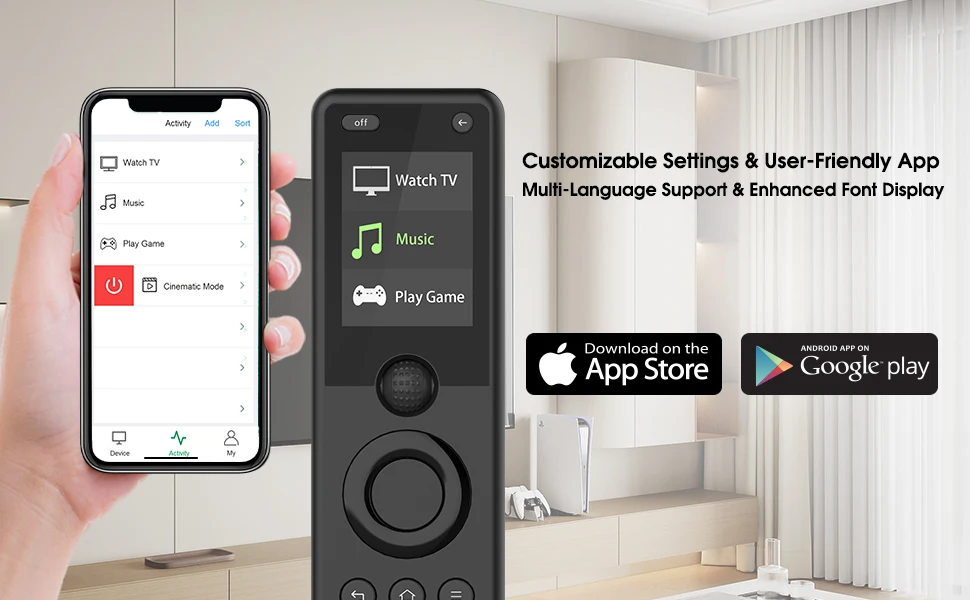
The LCD screen automatically lights up when you pick up the remote, ensuring effortless visibility and control of your devices in any lighting conditions. For battery saving considerations, the screen will automatically turn off when the remote control is not used for a long time.
Easy Configuration APP:
The updated X1S APP has greatly improved the efficiency and speed of configuration. You can easily add devices by entering a brand and specific model number or by fuzzy matching.
Controller Type supports IO*S APP and An.droid APP.
Enhanced User Experience:
Our Sofabaton app not only supports multiple languages to meet your needs but also offers exquisite fonts that can bring you a more enjoyable and convenient user experience.
Enhanced Software and Hardware for Smoother Operation:
Our X1S remote control has been upgraded in both software and hardware compared to the older X1 version, ensuring a smoother and more user-friendly experience during operation.
 Strong and Stable Signal
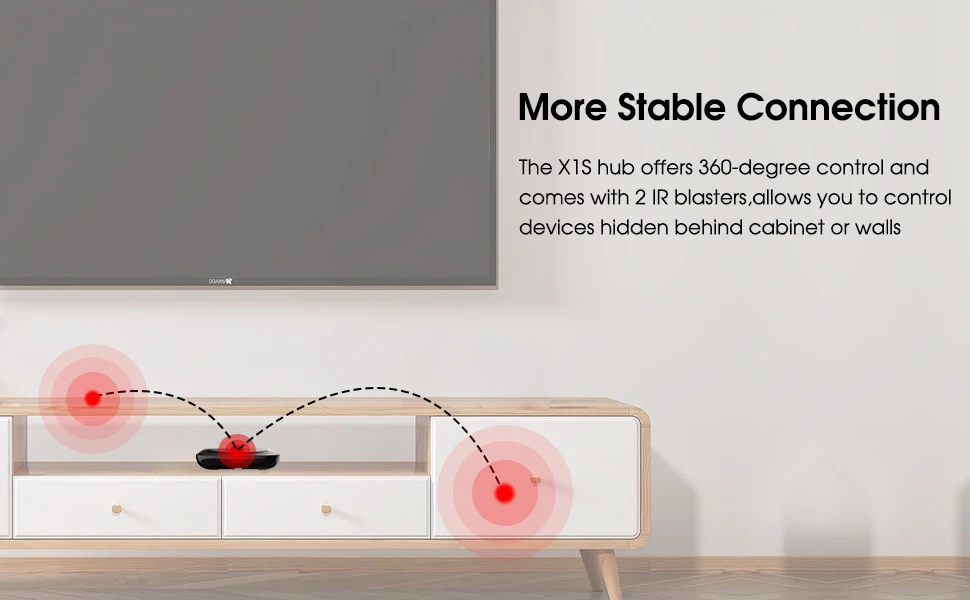
SofaBaton hub provides 360°signal and 40ft range to send strong reliable signal for your home entertainment devices.
Included 2 IR boosters to make the signal stronger. The IR signal won't be affected even if you hide the hub in the cabinet. No more worrying about signal disconnection. Also no need to point at the device. You can point the remote anywhere. The cool thing is that you can hide the Hub in the cabinet to create a neat entertainment area.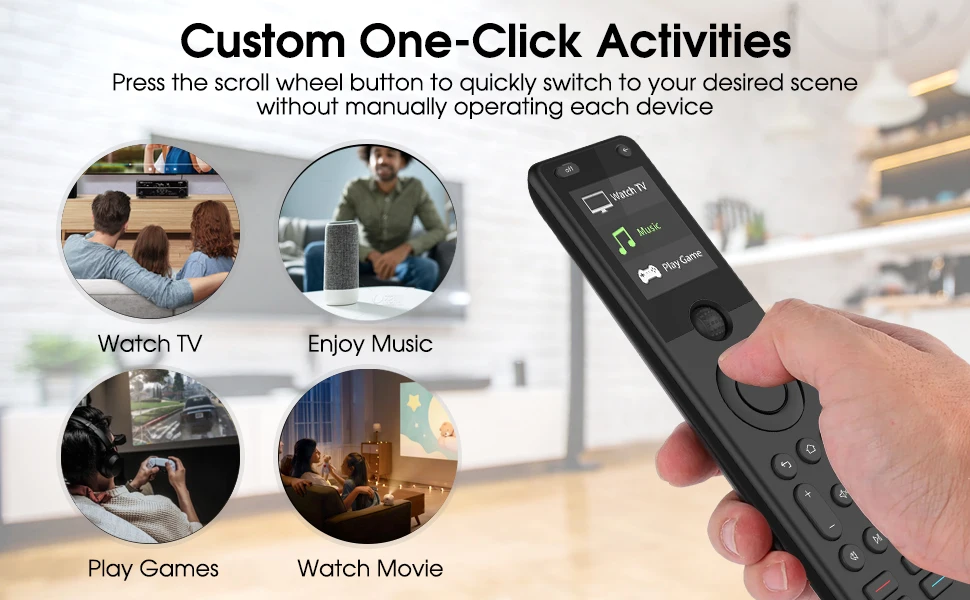 Create Activities In The APP To Customize Your Own Home Experiences - Enjoy a Truly Smart Life
Set up custom activities that action several commands at once, such as:
"Watch TV" activity, turn on your cable box, audio receiver and TV, change the receiver to the right channel and switch your TV to the right HDMI input,etc.
“Watch Movie” activity, the projector, speakers, and media players will enter movie mode quickly.
Adding a 'Listen to Music' activity allows you to immediately enter the world of music without the hassle of operating each device. Your audio receiver, sound system, or speakers will automatically activate with one-touch trigger.
When you select the "Play Game" activity, the game console, gaming monitor, game controller, and gaming speakers will automatically turn on, allowing you to immediately immerse yourself in the world of gaming and enjoy the fun and excitement it brings.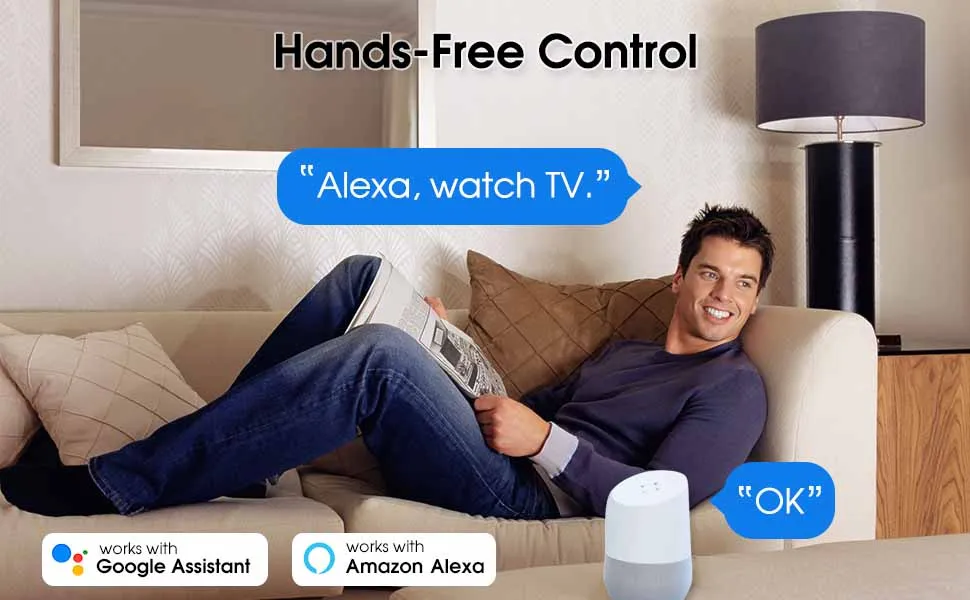 Experience The Ultimate Convenience Of Voice-controlled Home Automation
Easily manage your home entertainment system with Alexa or Google Assistant. With a simple command, you can instantly enter the entertainment scene you need and eliminate the fussy operation.
For example, if you say, “Alexa, watch a movie,” Alexa will automatically start the projector, speakers, and media players to enter movie mode quickly.
Please follow these steps to use Alexa with Sofabaton.
1. You need to create Activities in Sofabaton. Third-party voice control can only turn activity on or off and does not support switching a single device. If you need to control a single device, you can create it separately as an activity.
2. The WiFi connected to the X1S Hub must be connected to the Internet before the Hub can upload the device information to the cloud.
3. Open the Alexa app, Search Sofabaton in Skills&Games in the Alexa app and log in to the Sofabaton account, which is the same as the X1 distribution network.
4.After login, the account signal will be synchronized automatically. View the Scenes on the device page to view all synchronization scenarios.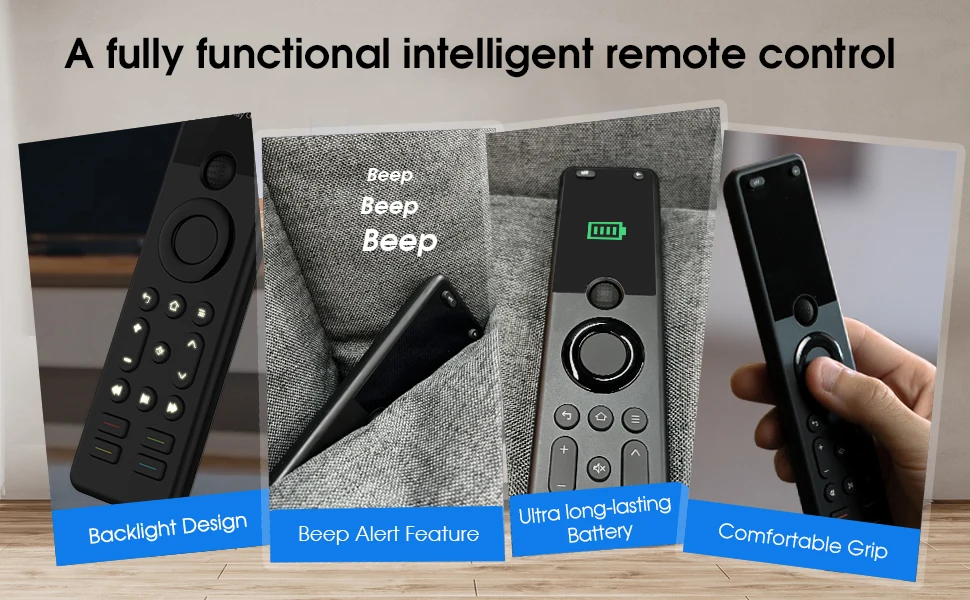 Intelligent and Powerful Remote Control - Meets All Your Needs
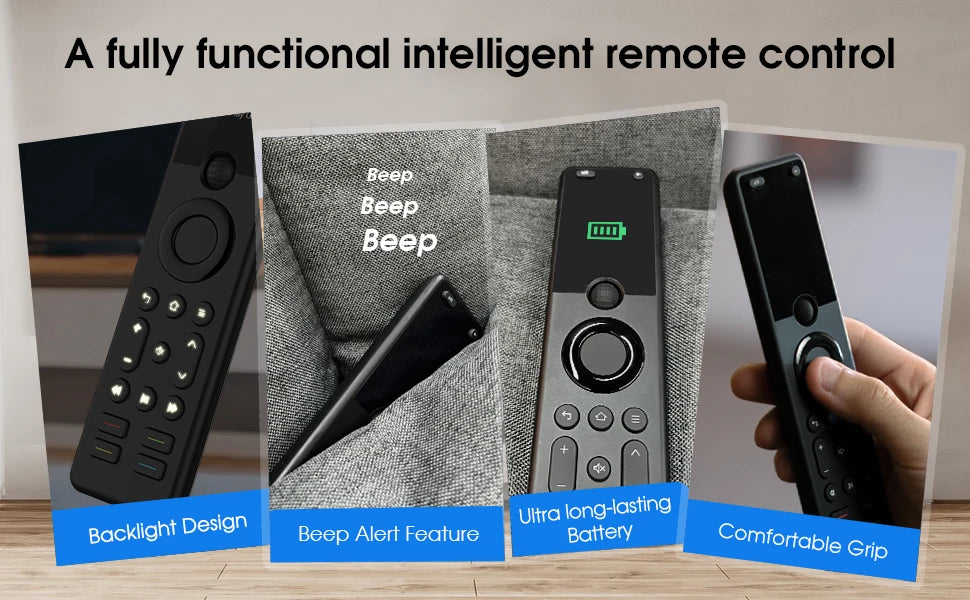
Backlight Design: Provides excellent visibility and convenience in low-light environments.
Never Lose Your Remote: When you can’t find your remote, simply press the button “Find my remote” on the app and the remote will beep.
Ultra long-lasting Battery: Ultra long-lasting Battery Technology eliminates the hassle of frequent charging and does not require battery replacement.
Comfortable Grip: Made of comfortable materials, moderate size and reasonable button layout to keep you away from hand fatigue. Just one thumb can easily reach every key you want without moving your hand. Whether you are left- or right-handed, you can operate it with ease.
Couldn't load pickup availability
Low stock: 6 left
View full details